
Simulation
A simulation lets you propose a dosing regimen — one you designed by hand, or one suggested by Optimization — and preview how it would perform for this patient before any dose is actually given. You can keep several simulations per episode to compare options.
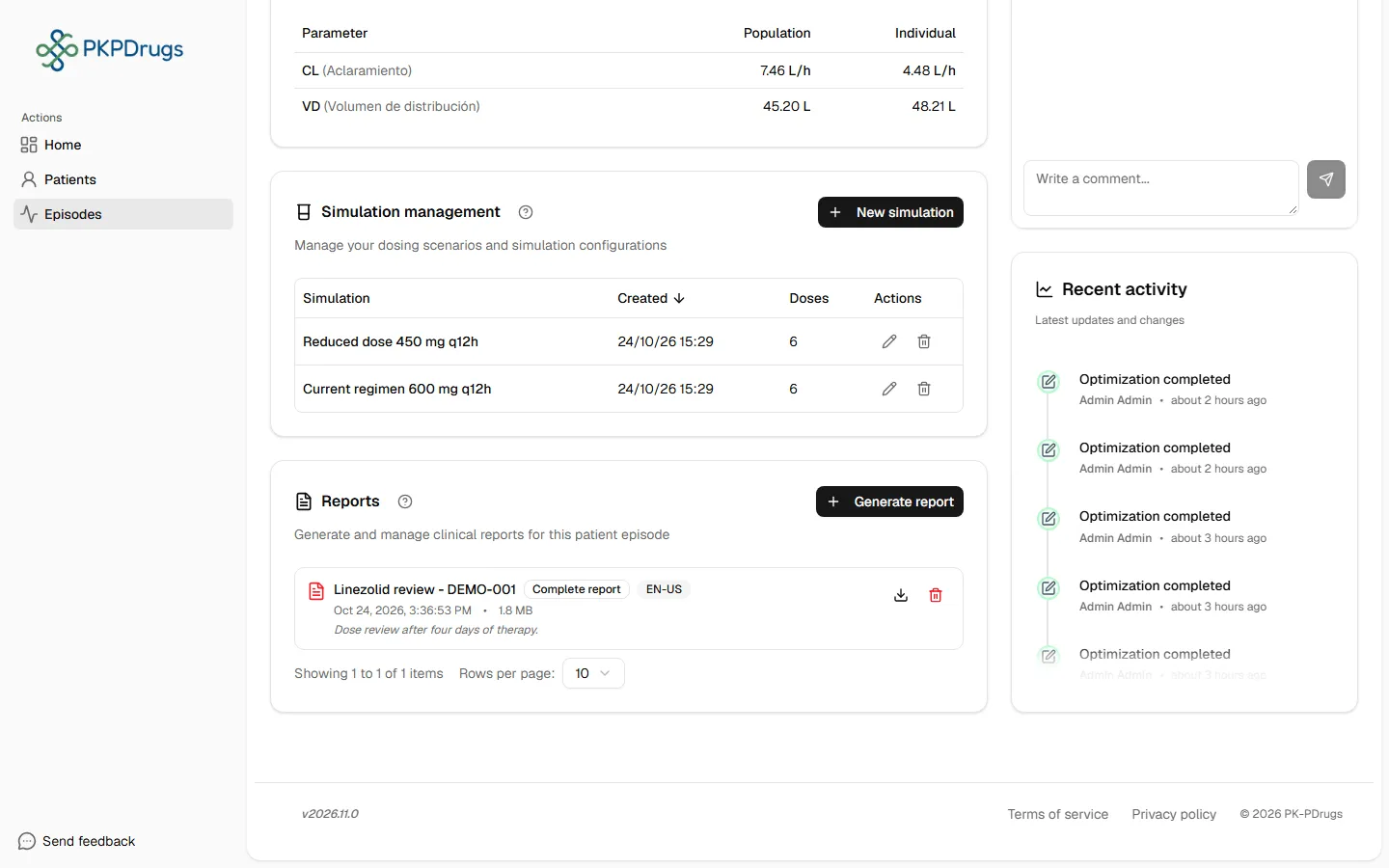
Creating a simulation
Section titled “Creating a simulation”- Select New simulation. It is created at once and the add-dose window opens. A name is optional; until you give it one, it is shown as “Simulation” with its number.
- Add doses to its proposed dose table the same way you would in Doses — date/time, amount, and infusion time if applicable.
- Select Run simulation.
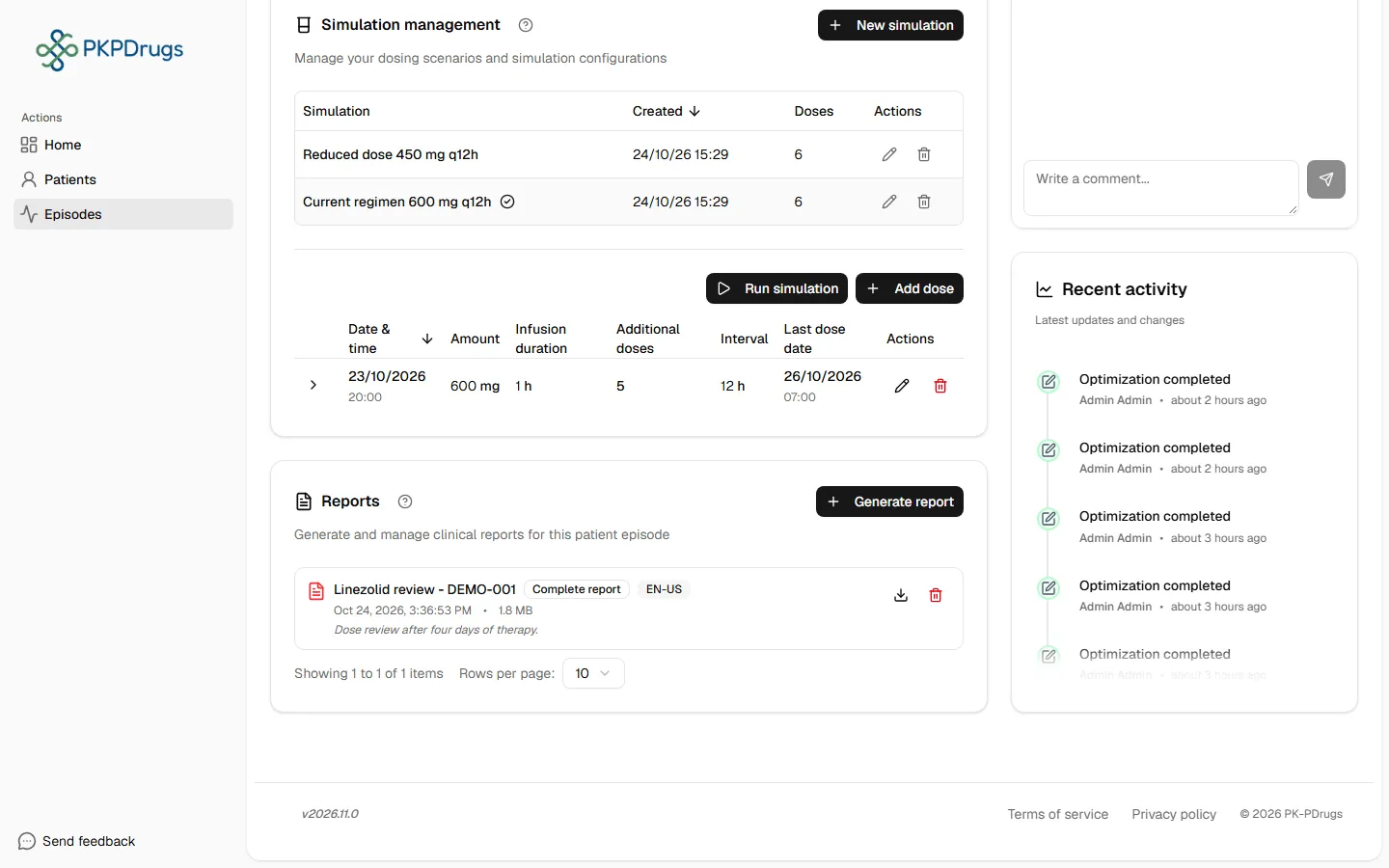
The simulation automatically re-runs if the episode’s real doses or concentrations change, keeping the comparison current.
Reading the results
Section titled “Reading the results”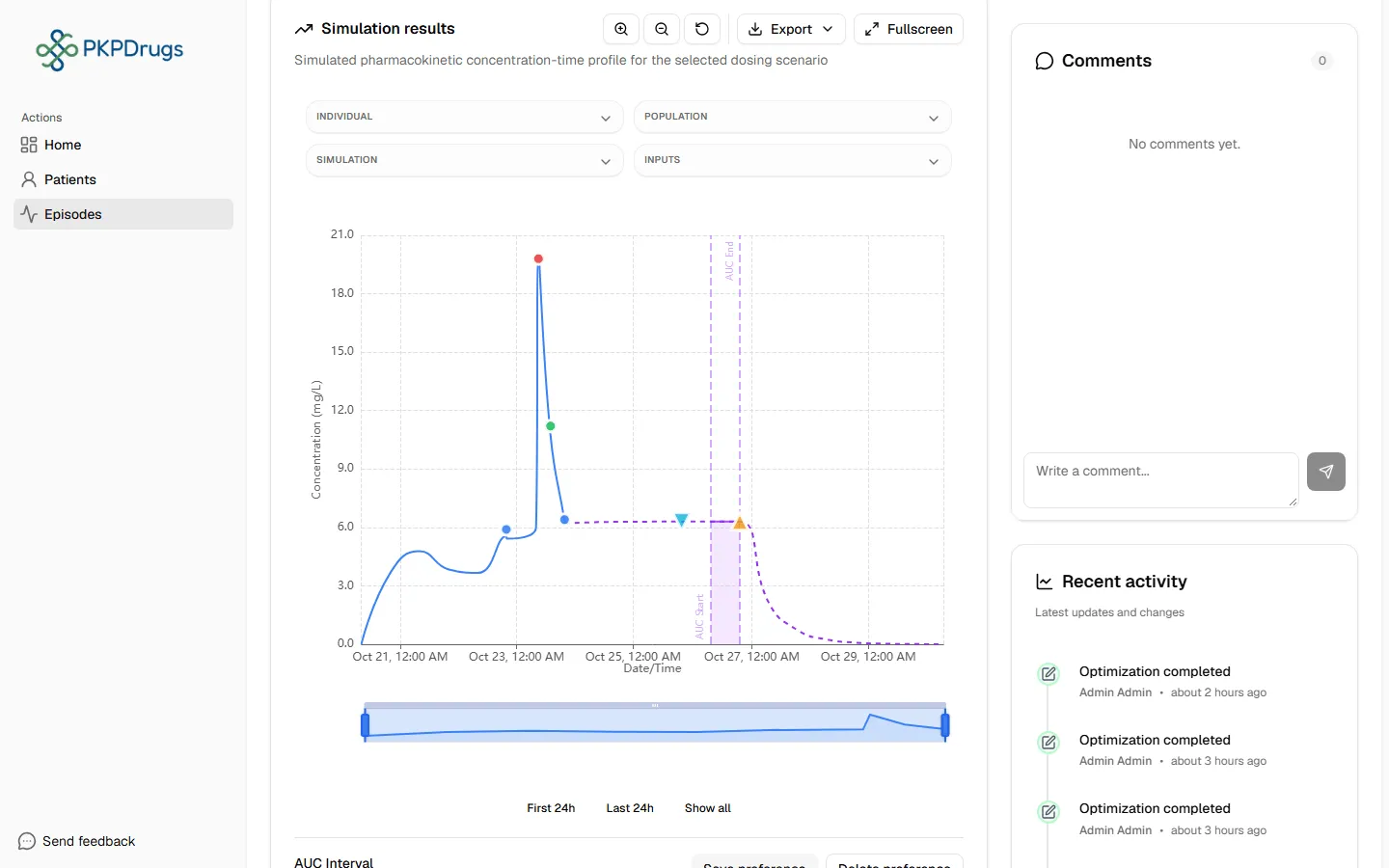
The chart overlays the patient’s real estimation curve with the curve predicted under the simulated regimen, alongside the recorded observations, dose markers, and confidence bands — the same toolbar (zoom, presets, fullscreen, export) as the Estimation chart is available here too.
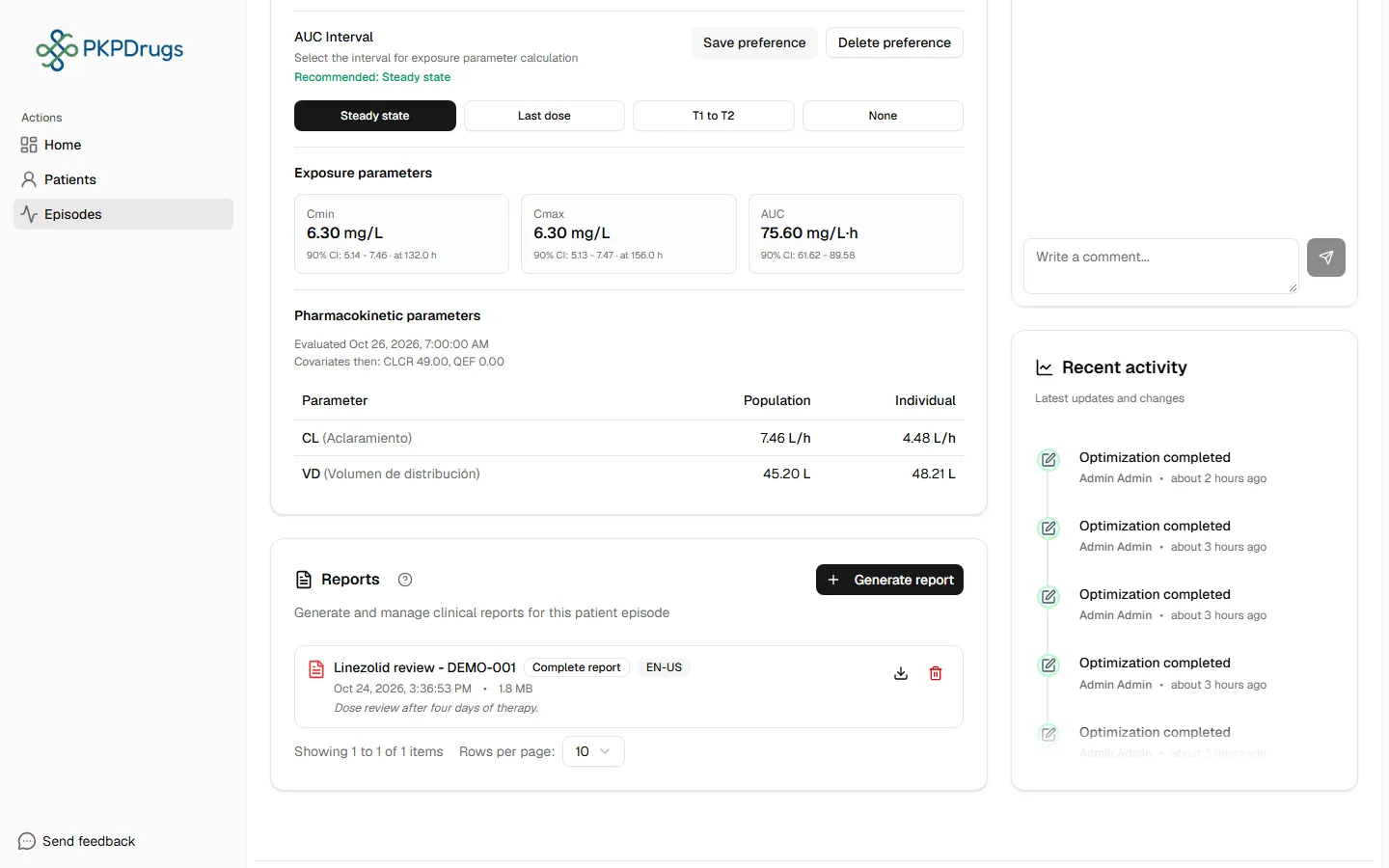
A parameter grid and exposure metrics (Cmin, Cmax, AUC with 90% CI) are shown for the simulated regimen, so you can compare it directly against the real estimation numbers.
Possible errors
Section titled “Possible errors”| Message | What it means | What to do |
|---|---|---|
| The name is too long (maximum 255 characters) | The simulation name has more than 255 characters. | Shorten the name, or leave it empty. |
| Simulation cannot proceed because the episode estimation has validation errors. Fix the episode data first. | The episode’s own estimation is currently blocked by a validation error. | Resolve the blocking error shown in Estimation first — simulation always builds on top of a valid estimation. |
| Amount must be a positive number / Infusion time must be a positive number / Interval must be a positive number / Number of additional doses must be a positive integer | A simulated dose has an invalid field — same rules as real doses. | See Doses → Possible errors; the same constraints apply here. |
| Please fix the errors before running | The simulation’s dose table has one or more invalid rows. | Correct every highlighted row, then select Run simulation again. |
| No simulated doses available. Please add at least one simulated dose. | The simulation has no doses. | Add at least one dose, then run it again. |
| Failed to load simulations / Failed to create the simulation / Failed to copy simulation / Failed to delete simulation | The request reached the server but failed. | Retry; if it persists, check your network connection or contact an administrator. |
Next: Reports.
Fields, checks and limits
Section titled “Fields, checks and limits”Simulation name
Section titled “Simulation name”| Field | What to enter | Unit | Required | Minimum | Maximum | Message you see if it is wrong |
|---|---|---|---|---|---|---|
| Name | A short label (set it with Edit on the simulation). If you leave it empty, the simulation number is shown. | Text | No | None | 255 characters | The name is too long (maximum 255 characters) |
Simulated dose
Section titled “Simulated dose”| Field | What to enter | Unit | Required | Minimum | Maximum | Message you see if it is wrong |
|---|---|---|---|---|---|---|
| Date | Day of the dose. | Date | Yes | None | None | Date is required |
| Time | Time of the dose. | Time | Yes | None | None | Time is required |
| Amount | Dose to give. | Dose unit | Yes | Greater than 0 | No upper limit set in the form | Amount must be a positive number |
| Infusion time | How long the dose runs. | Hours | When the dose is an infusion | Greater than 0 | None | Infusion time must be a positive number |
| Interval | Time between repeated doses. | Hours | When repeating | Greater than 0 | None | Interval must be a positive number |
| Additional doses | How many extra doses follow. | Number of doses | When repeating | A positive whole number | None | Number of additional doses must be a positive integer |
If a row is not valid, Run simulation is blocked. Fix every marked row first.