
Doses
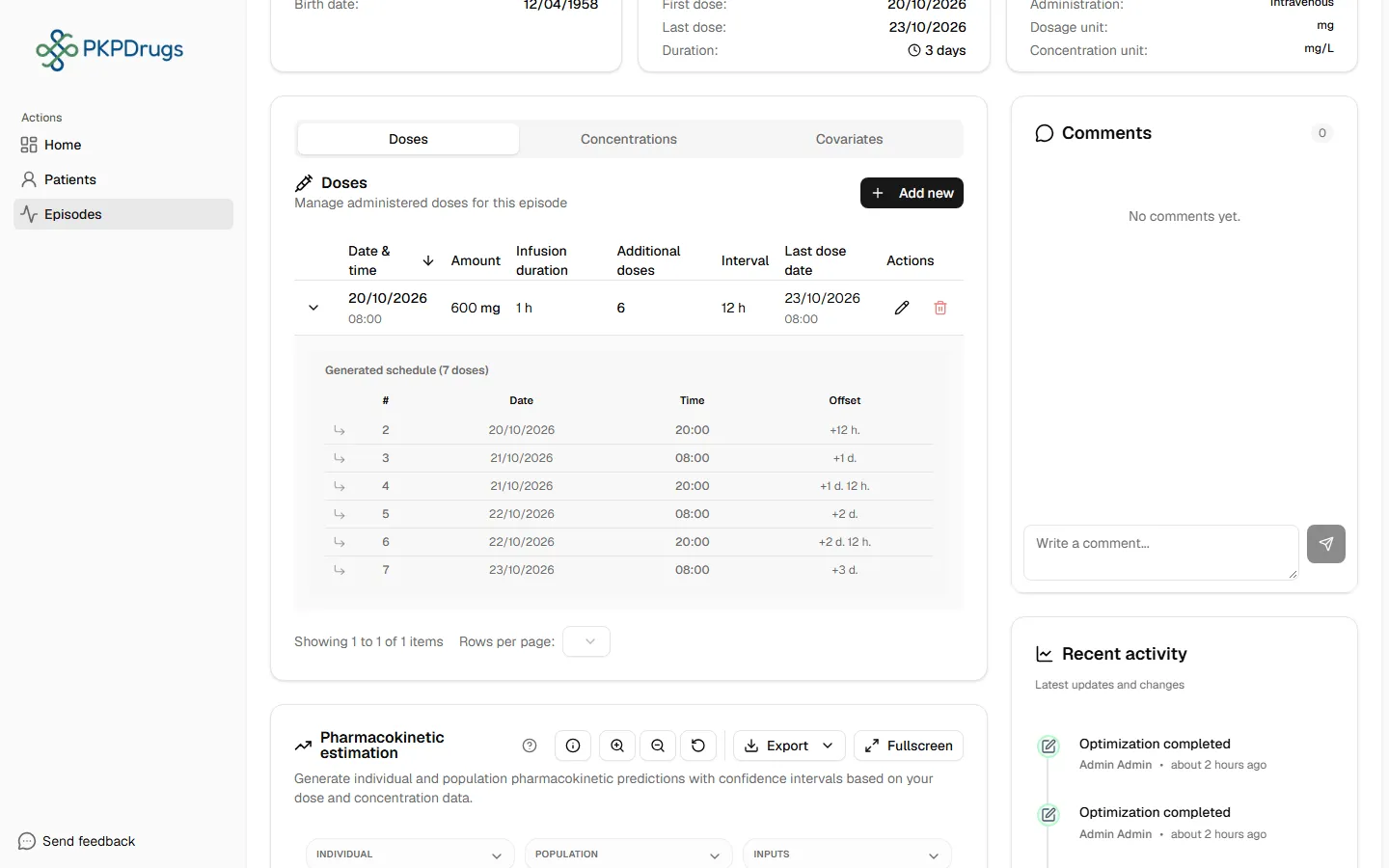
The Doses Administered tab records every dose the patient actually received during the episode. It’s the first thing to fill in — concentrations and estimation both depend on at least one dose existing.
Adding a dose
Section titled “Adding a dose”Select Add dose and fill in:
| Field | Notes |
|---|---|
| Date & time | When the dose was given. |
| Amount | In the drug’s dosing unit (e.g. mg). |
| Infusion time | Only shown for drugs administered by perfusion. The infusion rate is calculated automatically as amount ÷ infusion time. Bolus drugs don’t show this field. |
Repeating doses
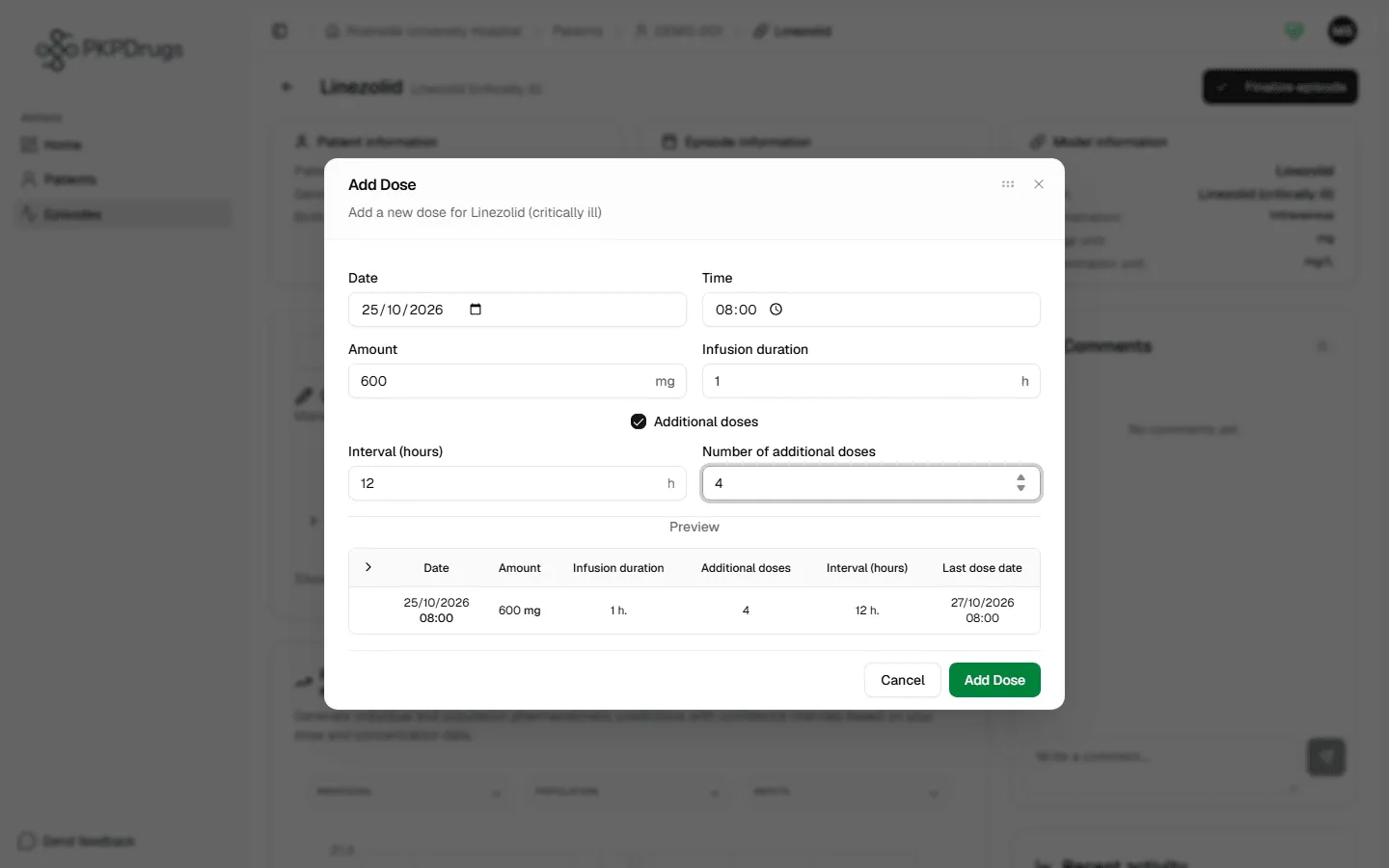
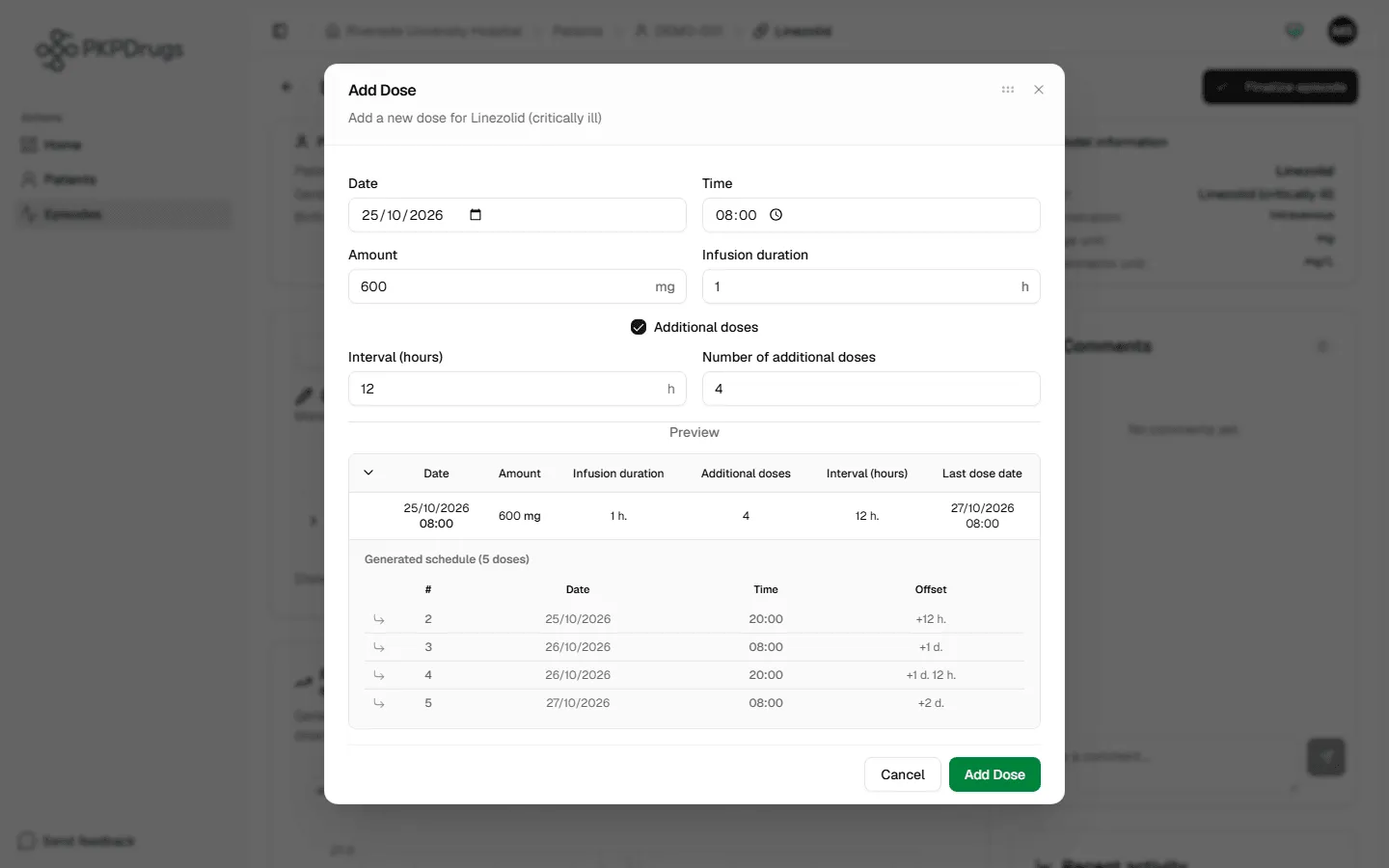
Section titled “Repeating doses”Enable Additional doses to generate a series of repeating doses at once, instead of adding each one individually:
- Interval — hours between doses.
- Number of additional doses — how many more doses to generate after the first.
The dialog previews the generated schedule live before you save it:
Fields, checks and limits
Section titled “Fields, checks and limits”Add or edit a dose
Section titled “Add or edit a dose”| Field | What to enter | Unit | Required | Minimum | Maximum | Message you see if it is wrong |
|---|---|---|---|---|---|---|
| Date | Day the dose was given. | Date | Yes | - | No limit is checked | “Date is required” |
| Time | Time of day the dose was given. | Hours and minutes | Yes | - | No limit is checked | “Time is required” |
| Amount | The dose actually given. | The drug’s dosing unit (shown next to the field, mg if none is set) | Yes | Greater than 0 | 1,000,000 | “Amount must be a positive number” |
| Infusion time | How long the infusion lasted. Shown only for drugs given by perfusion. PKPDrugs calculates the rate as amount divided by infusion time. | Hours | Yes, for perfusion drugs | Greater than 0 | 1,000,000 | “Infusion duration must be a positive number” |
| Additional doses (switch) | Turn on to create a series of repeated doses. | On or off | No | - | - | - |
| Interval | Time between one dose and the next. Only used when the switch is on. | Hours | Yes, if the switch is on | Greater than 0 | 1,000,000 | “Interval must be a positive number” |
| Number of additional doses | How many extra doses follow the first. Whole number. | Doses | Yes, if the switch is on | 1 | 1,000,000 | “Number of additional doses must be a positive integer” |
About the maximum of 1,000,000. For amount, infusion time and interval, the form shows a red hint (“Must be between 0 and 1000000”) when you type a larger value, but it does not stop you from saving. The database refuses an amount, an interval or an infusion rate above 1,000,000, and then you see only a general “Failed to add dose” message. The infusion time and the number of additional doses have no limit on the server.
The server repeats the main checks, in case a dose comes from another route. It also requires that interval and number of additional doses go together: both above zero, or both zero. A series needs both, because an interval with no repeats (or repeats with no interval) cannot describe a schedule. The messages are:
- “The amount must be greater than zero. The compartment and the rate cannot be negative.”
- “Infusion time must be positive.” (only for a drug given by perfusion; a bolus or an oral dose needs no infusion time)
- “The interval and the number of additional doses must both be greater than zero, or both be zero.”
A dose date in the future is not blocked. Enter only doses that were really given, because estimation treats every dose as given.
Possible errors
Section titled “Possible errors”| Message | What it means | What to do |
|---|---|---|
| Amount must be a positive number | The dose amount is zero, negative, or not a number. | Enter a value greater than 0 in the drug’s dosing unit. |
| Infusion duration must be a positive number | The infusion time field (perfusion drugs only) is zero, negative, or missing. | Enter a value greater than 0 — this is what the infusion rate is calculated from. |
| Interval must be a positive number | The repeat interval for additional doses is zero, negative, or missing. | Enter the number of hours between repeated doses. |
| Number of additional doses must be a positive integer | The additional-doses count is zero, negative, or not a whole number. | Enter a whole number of extra doses to generate. |
| The first dose cannot be deleted because there are dependent concentrations or covariates | See the note above. | Remove the dependent concentration/covariate records first, or delete the episode if it’s not needed. |
| Failed to add/update/delete dose | The request reached the server but failed. | Retry; if it persists, check your network connection or contact an administrator. |
Next: Concentrations.