
Optimization
Optimization searches for a dose and dosing interval that best hits the targets you set, using this patient’s estimated PK parameters from Estimation. It appears embedded at the bottom of the Estimate section.
Setting up a search
Section titled “Setting up a search”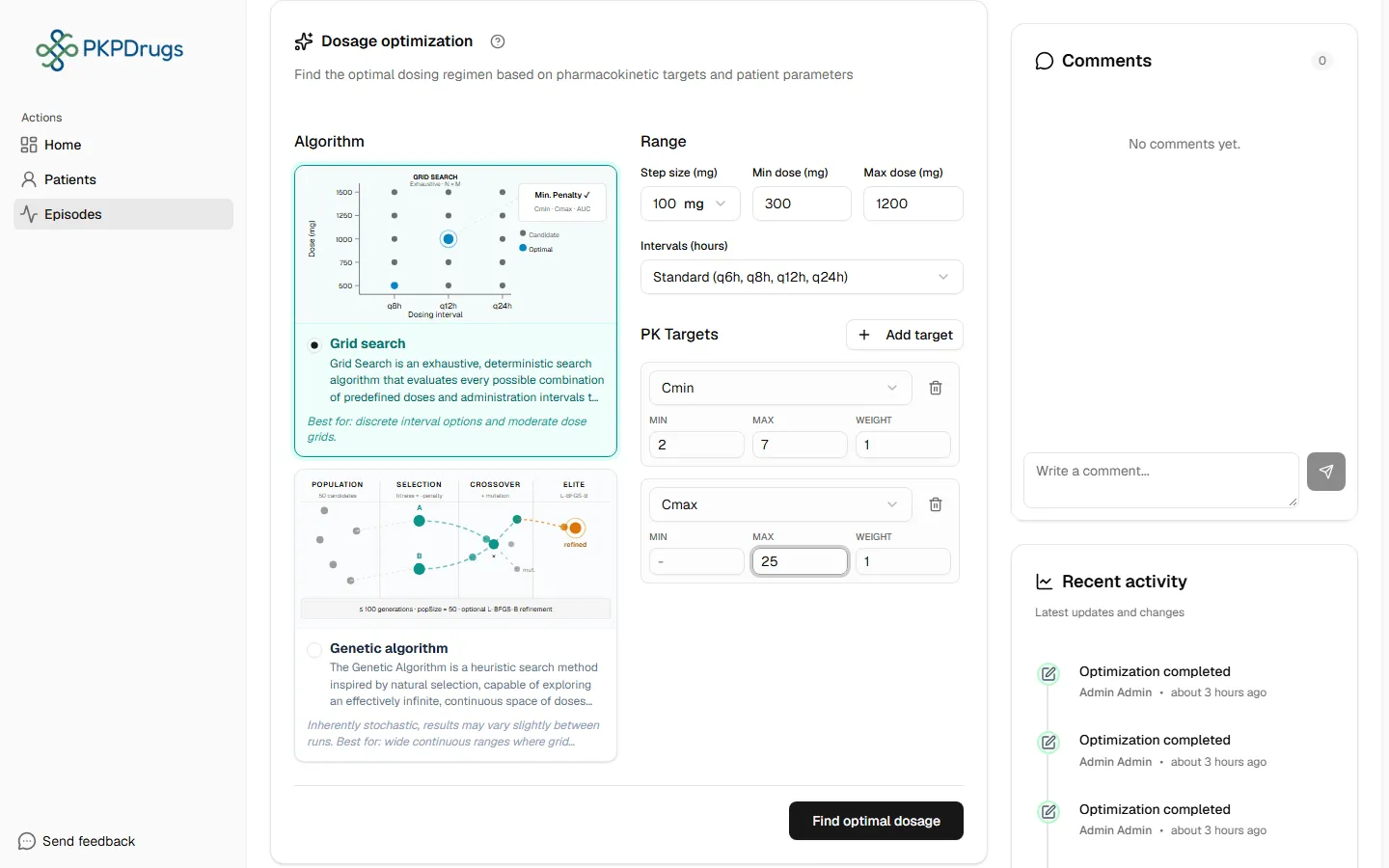
| Field | Notes |
|---|---|
| Algorithm | Grid search tries every combination on a fixed step; Genetic algorithm searches more efficiently for larger ranges. |
| Dose range | Minimum and maximum dose to consider (plus a step size for grid search only). |
| Interval options | Which dosing intervals (in hours) to consider. You pick one of the preset lists, e.g. Daily/BID/TID (q8h, q12h, q24h). |
| PK targets | One or more targets to optimize for — see below. |
PK targets
Section titled “PK targets”Add one or more targets, each with:
- Type — Cmin, Cmax, Cavg, AUCtrap or AUCgrap. See the Glossary.
- Lower / upper bound — at least one of the two is needed.
- Weight — how much this target matters relative to the others when several are set.
By default, a Cmin lower bound of 10 and a Cmax upper bound of 50 are pre-filled as a starting point — adjust them to the clinical target for this drug and patient.
Reading the results
Section titled “Reading the results”Select Find optimal dosage to run the search. Results show the recommended dose and interval combination(s) that best satisfy your targets.
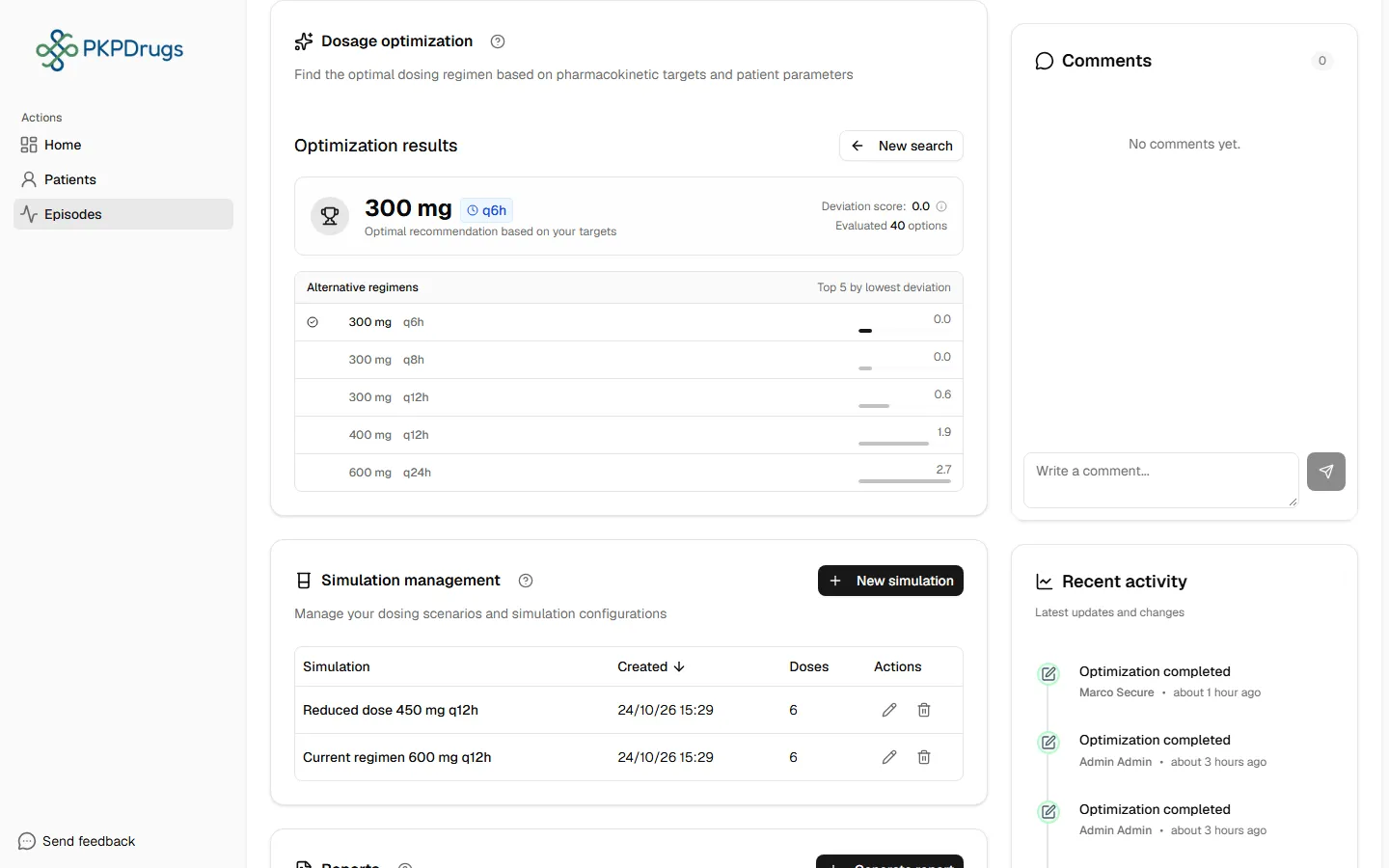
If no combination satisfies the targets within the given ranges, the results panel reports that no solution was found — widen the dose range, interval options, or target bounds and try again.
Possible errors
Section titled “Possible errors”| Message | What it means | What to do |
|---|---|---|
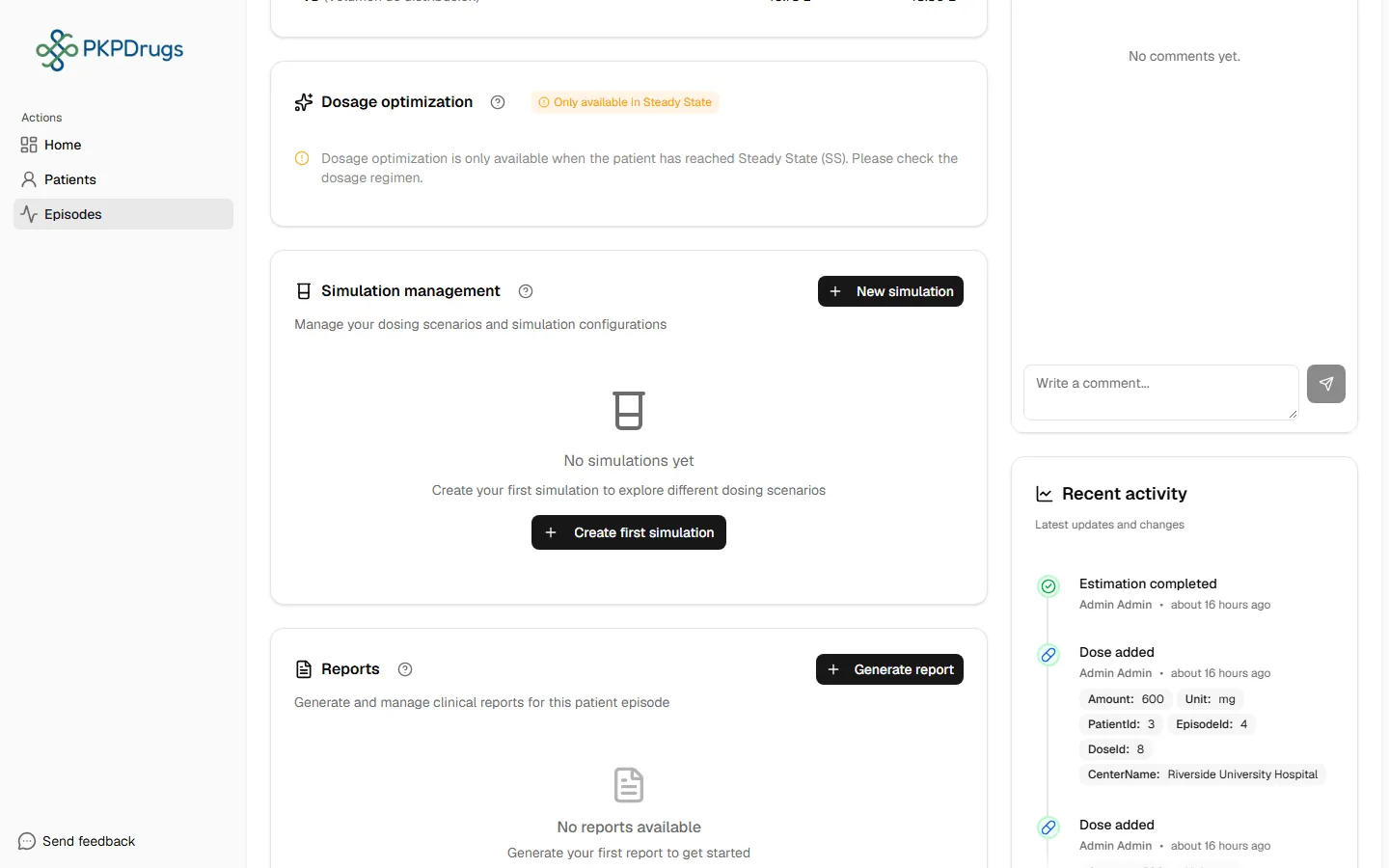
| Only available in Steady State — “Dosage optimization is only available when the patient has reached Steady State (SS). Please check the dosage regimen.” | The episode’s current doses don’t establish a steady-state regimen yet. | Make sure at least one recorded dose has “Additional doses” configured with a repeating interval (see Doses → Repeating doses); a single one-off dose can’t reach steady state. |
| Optimization could not find a valid regimen. Try relaxing your PK targets or widening the dose range | The search ran but no dose/interval combination satisfied every target within the ranges you set. | Widen the dose range or interval options, loosen the lower/upper bounds on your PK targets, or remove a target that may be unreasonably strict. |
Next: Simulation, to preview how a specific regimen (optimized or your own) would play out before it’s given.
Fields, checks and limits
Section titled “Fields, checks and limits”Optimization form
Section titled “Optimization form”| Field | What to enter | Unit | Required | Minimum | Maximum | Message you see if it is wrong |
|---|---|---|---|---|---|---|
| Algorithm | Grid search or Genetic algorithm. The dose and interval choices sit under the heading “Range”. | None | Yes | None | None | None |
| Min dose | Lowest dose to try. Starts at 100. | mg | Yes | Greater than 0 | Not above the maximum dose | Enter a dose greater than zero |
| Max dose | Highest dose to try. Starts at 2000. | mg | Yes | Greater than 0, and not below the minimum dose | No upper limit set in the form | Enter a dose greater than zero. The maximum dose must not be below the minimum |
| Step size (grid search) | Gap between doses tried. Choices: 25, 50, 100, 200, 500. Starts at 100. | mg | Grid search only | 25 (smallest choice) | 500 (largest choice) | None (you pick from a list) |
| Intervals | Choose one preset list: Daily (q24h), Daily/BID (q12h, q24h), Daily/BID/TID (q8h, q12h, q24h), Standard (q6h, q8h, q12h, q24h; the default) or All (q4h - q24h). | Hours | Yes | At least one interval | q24h (largest preset) | None in practice, because you pick from a list. If it were empty: Required (comma separated, e.g. 6,8,12,24) |
| Targets | At least one target. Starts with Cmin and Cmax. | None | Yes | One target | None | At least one target is required |
For the genetic algorithm the form sends an interval range of 6 to 24 hours. The genetic search uses 50 candidates and up to 100 generations. Its result can vary a little between runs, and you may need to round the dose and interval for practical use.
Each PK target
Section titled “Each PK target”| Field | What to enter | Unit | Required | Minimum | Maximum | Message you see if it is wrong |
|---|---|---|---|---|---|---|
| Target type | Cmin, Cmax, Cavg, AUCtrap or AUCgrap. | None | Yes | None | None | None |
| Lower bound | Lowest acceptable value. Cmin starts at 10. Leave empty for no lower bound. | The drug’s concentration unit | At least one bound | None | None | At least one bound is required |
| Upper bound | Highest acceptable value. Cmax starts at 50. Leave empty for no upper bound. | The drug’s concentration unit | At least one bound | None | None | At least one bound is required |
| Weight | How much this target counts against the others. Empty means 1. | None | No | Greater than 0 | None | The weight must be greater than zero |
Reading the results
Section titled “Reading the results”The panel shows the best regimen and a list of the top 5 regimens with the lowest deviation score. A score of 0 is a perfect match; a lower score is closer to your targets. If nothing fits, you see: “Optimization could not find a valid regimen. Try relaxing your PK targets or widening the dose range.” If the run itself fails: “Could not run the optimisation.” Use New search to start again.