
Estimation
Estimation fits the drug’s population PK model to this specific patient, using their recorded doses and measured concentrations — this is what turns generic population parameters into an individualized estimate.
When it runs
Section titled “When it runs”Estimation runs automatically as soon as the episode has at least one dose and one concentration, and re-runs whenever that data changes. There’s nothing to click.
Before running, PKPDrugs validates the data and shows the result in a validation alert with three severity levels:
- Error (red) — blocks estimation entirely. You must fix these before a result can be produced.
- Warning (amber) — estimation still runs, but the result may be less reliable; review these even though they don’t stop you.
- Info (blue) — informational only, no action needed.
Fix any blocking errors and estimation retries automatically — you don’t need to manually re-trigger it.
Reading the chart
Section titled “Reading the chart”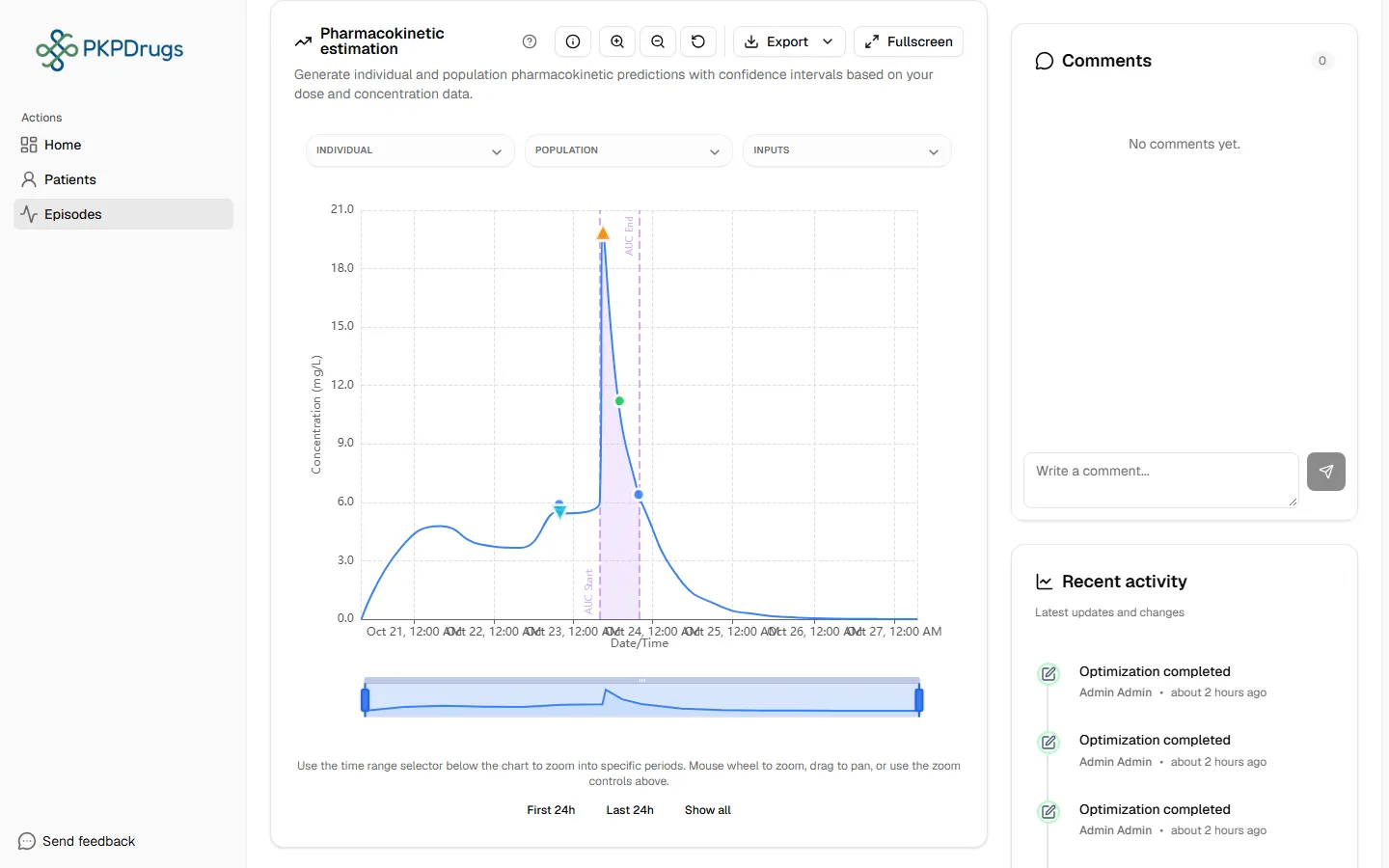
The chart overlays:
- Individual prediction — this patient’s own Bayesian posterior curve.
- Population prediction — what the model predicts for a “typical” patient.
- Observed samples — the concentrations you recorded.
- Dose markers and a confidence interval band (the shaded band is a 90% interval).
Use the chart toolbar to zoom in/out, jump to preset windows (first 24h, last 24h, show all), view fullscreen, or export the chart as a PNG.
Parameter summary
Section titled “Parameter summary”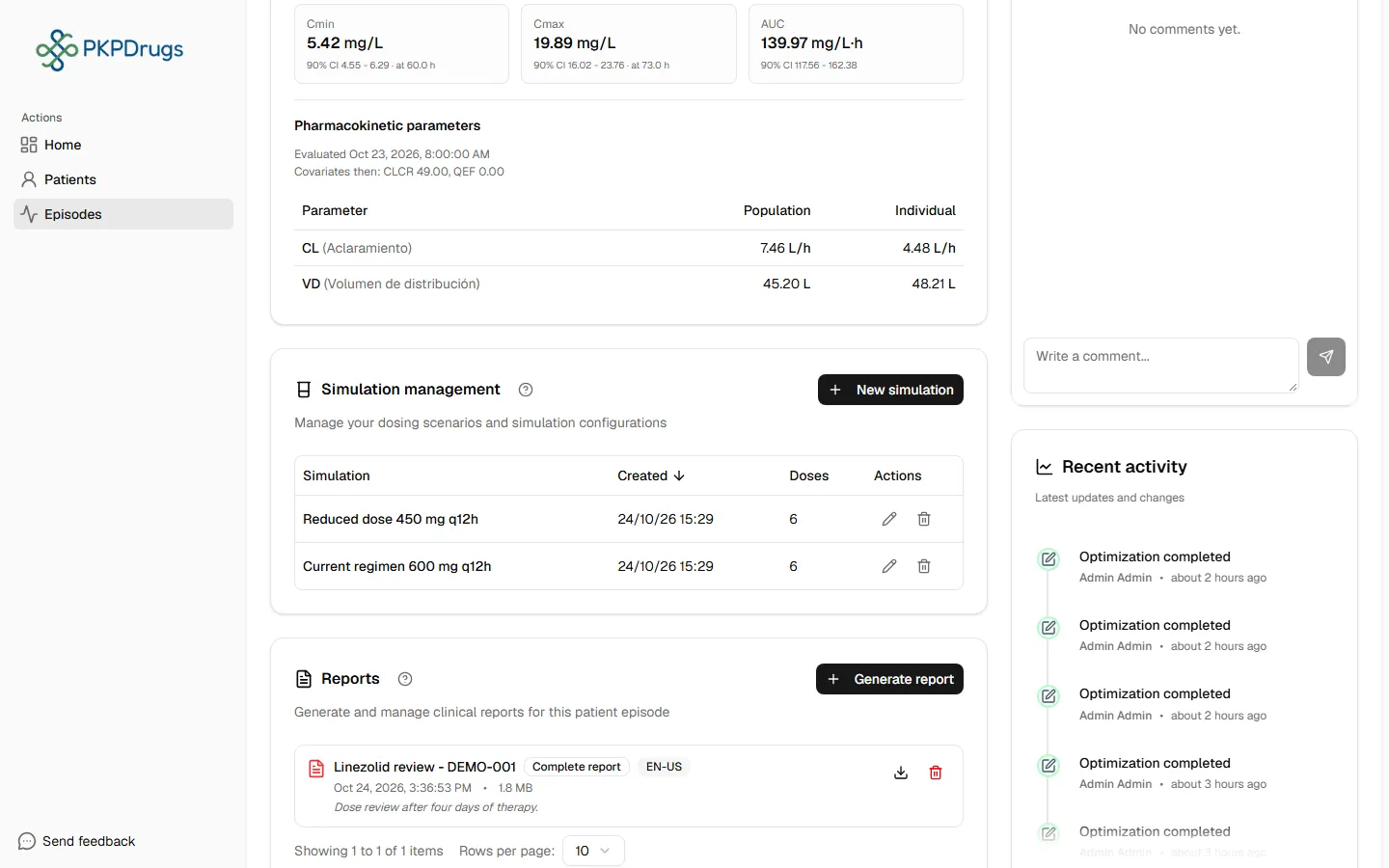
The summary table lists this patient’s estimated parameters — clearance (CL), volume of distribution (VD), intercompartmental clearance (Q) — alongside the population’s typical values (TVCL, TVVD, TVQ). See the Glossary if any of these terms are unfamiliar.
Exposure metrics
Section titled “Exposure metrics”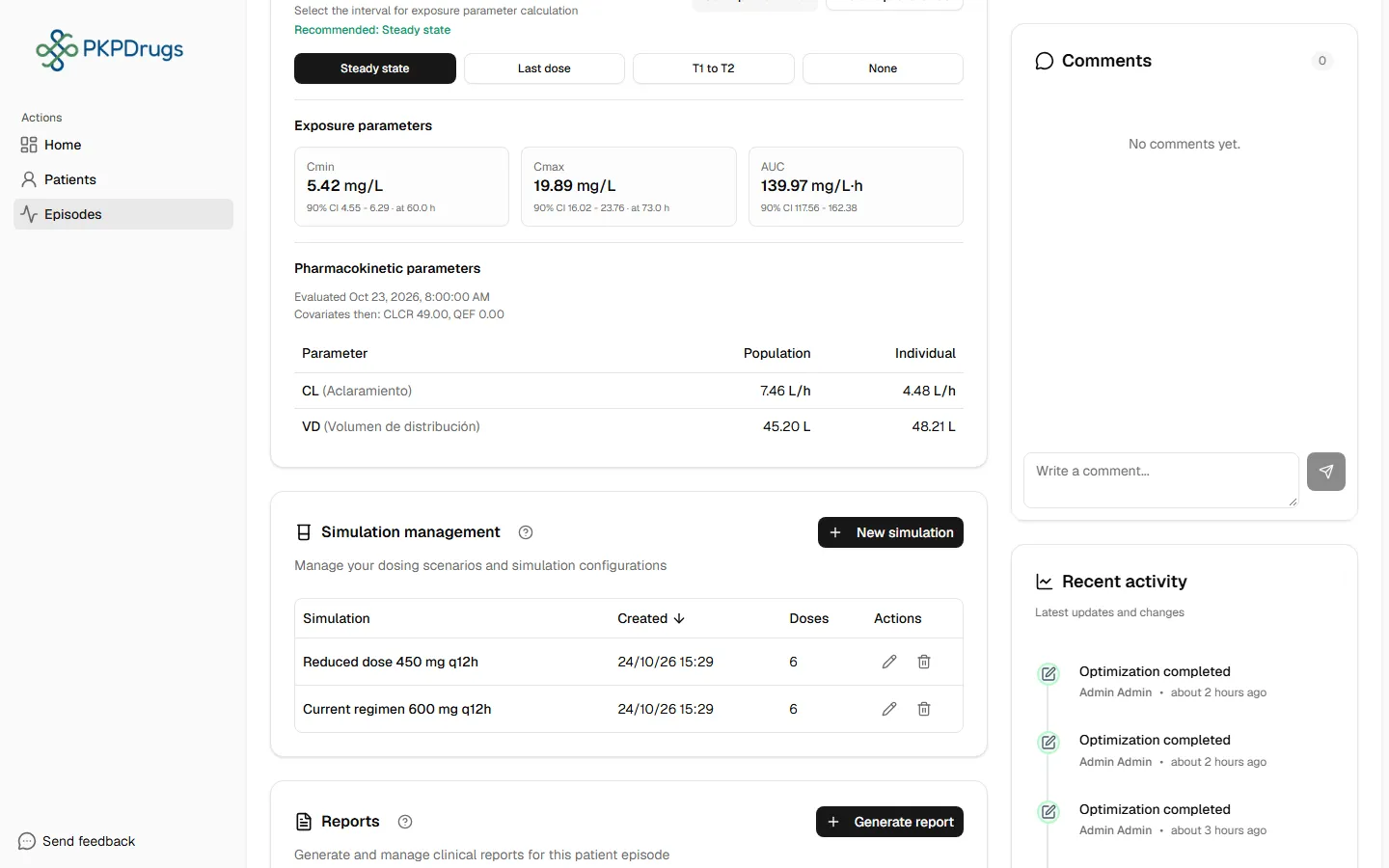
Cmin, Cmax, and (when enabled for the drug) AUC are shown with a point estimate and a 90% confidence interval (labelled “90% CI” on screen).
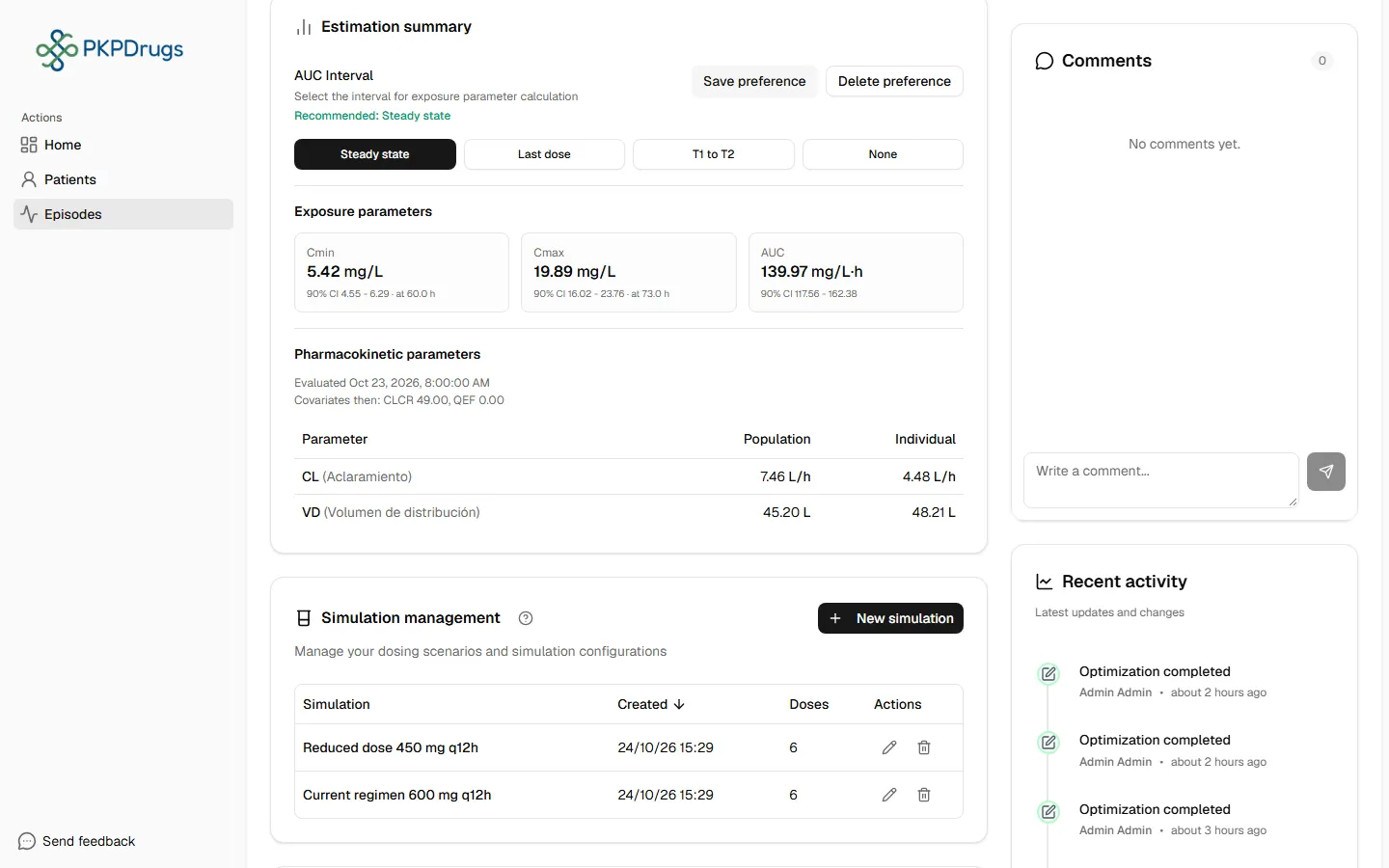
For drugs where the AUC interval isn’t fixed, choose the window it’s calculated over:
Possible errors
Section titled “Possible errors”These are the specific validation messages estimation can surface. Most point at exactly which dose or concentration record needs fixing.
| Message | What it means | What to do |
|---|---|---|
| Invalid dose amount: {amount}. Dose amounts must be positive (> 0). / Negative dose amount found. Dose amounts must be greater than zero. | A recorded dose has a zero or negative amount. | Edit the dose in Doses and correct the amount. |
| Invalid concentration value: {value}. Values must be non-negative (≥ 0). / Negative concentration value found. Values must be zero or greater. | A recorded concentration has a negative value. | Edit the concentration in Concentrations and correct the value. |
| First concentration is {minutesBefore} min before the first dose. Concentrations must be measured after dosing. | A concentration’s timestamp precedes the first dose. | Correct the concentration’s date/time, or the first dose’s date/time if that’s what’s actually wrong. |
| Invalid dosing interval (II = {providedII} h). For steady-state AUC, II must be a positive number. | The dosing interval used for a steady-state AUC calculation isn’t valid. | Check the repeating-dose interval on the relevant doses (see Doses → Repeating doses). |
| Invalid window boundaries: end ({windowEnd} h) must be after start ({windowStart} h). | A custom AUC window’s end time is before (or equal to) its start time. | Adjust the AUC interval selector so the end time is after the start time. |
| Steady-state AUC requires repeated dosing (ADDL > 0). Please set ADDL > 0 for at least one dose. / Steady-state AUC requires repeated dosing (ADDL > 0). No repeated dosing detected. | No dose in the episode has additional repeats configured, so steady state can’t be determined — this affects Optimization, which requires steady state. | If the patient is actually on a repeating regimen, make sure at least one dose has “Additional doses” set (see Doses → Repeating doses). |
Next: Optimization.
Fields, checks and limits
Section titled “Fields, checks and limits”Estimation has no data entry of its own. It uses the doses and concentrations you recorded. The only choice you make is the AUC interval.
| Field | What to enter | Unit | Required | Minimum | Maximum | Message you see if it is wrong |
|---|---|---|---|---|---|---|
| AUC interval | Choose the period over which AUC is calculated. The hint reads “Select the interval for exposure parameter calculation”. A Recommended mode is shown for the drug. | Hours | Only for drugs where the interval is not fixed | Window end must be after window start | None | Invalid window boundaries: end (x h) must be after start (y h). |
| Dosing interval (II) for steady-state AUC | Taken from your doses. | Hours | Yes, for steady-state AUC | Greater than 0 | None | Invalid dosing interval (II = x h). For steady-state AUC, II must be a positive number. |
| Additional doses (ADDL) | Taken from your doses. | Number of doses | Yes, for steady-state AUC | Greater than 0 on at least one dose | None | Steady-state AUC requires repeated dosing (ADDL > 0). Please set ADDL > 0 for at least one dose. |
| Dose amount | Taken from your doses. | Dose unit | Yes | Greater than 0 | None | Invalid dose amount: x. Dose amounts must be positive (> 0). |
| Concentration value | Taken from your samples. | Concentration unit | Yes | 0 | None | Invalid concentration value: x. Values must be non-negative (≥ 0). |
Other points to know:
- For drugs where the AUC interval is not fixed, you can save your choice as a preference (Save preference; you see “Interval saved”) and remove it later (Delete preference).
- If steady state is recommended but the patient has not reached it, you see Steady State Required: “Steady State mode is recommended for this drug, but it is only available when the patient has reached Steady State (SS). Please check the dosage regimen.”
- On screen, exposure parameters are labelled with a 90% confidence interval (“90% CI”).
- Cmin and Cmax show the time they refer to. If there is no predicted point, you see “No predicted point before the last dose” or “No predicted point after the last dose”.
- The parameter table shows the date it was evaluated and the covariate values used at that time.
- If no concentration is recorded, the screen says “Please add at least one dose and one concentration. The estimation will then run automatically.”