
Episodes
An episode is one treatment course: a single patient paired with a single drug. It’s the container for everything that follows in this guide — doses, concentrations, covariates, estimation, optimization, simulation, and reports.
Episode list
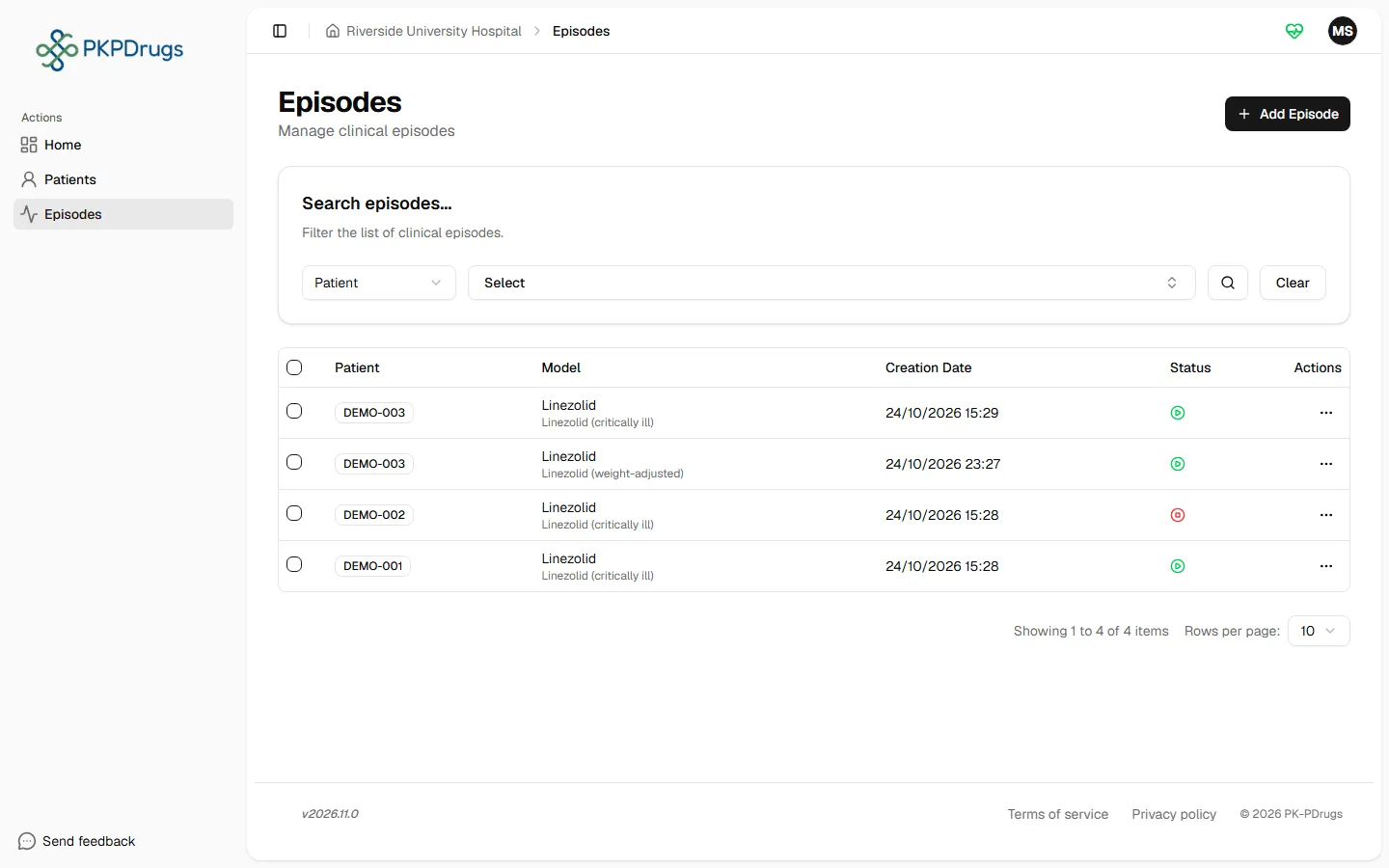
Section titled “Episode list”Open Episodes in the sidebar to see all episodes you have access to, active and finalized.
Creating an episode
Section titled “Creating an episode”Select Add episode and choose:
- Patient — search by patient ID.
- Model — the drug carries its PK model, dosing unit, and administration type.
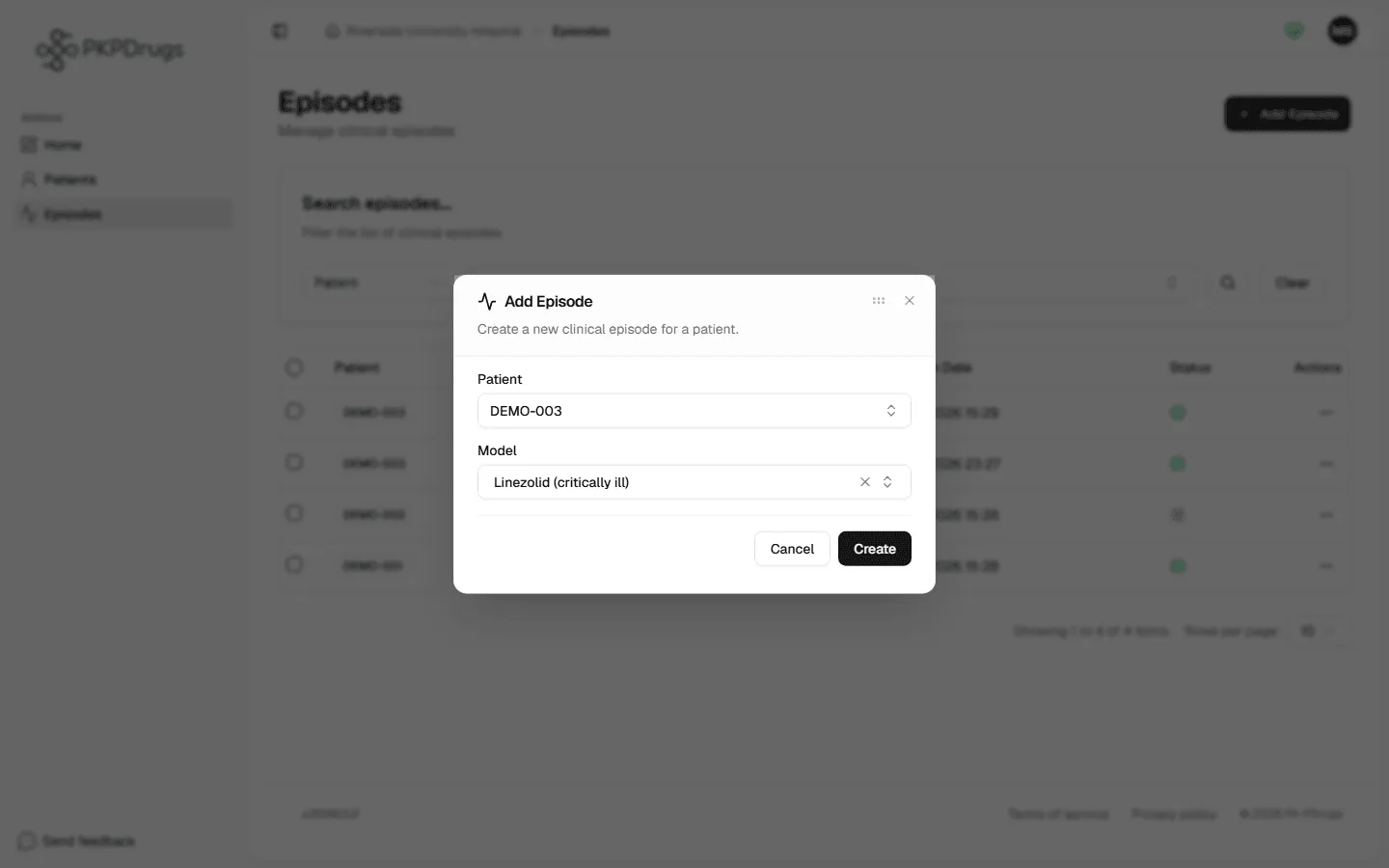
Two things are validated before you can submit:
- The chosen drug must be assigned to at least one center.
- The drug’s center must match the patient’s center.
If either check fails, the dialog shows an inline message — ask an administrator to assign the drug to the right center (see Administration → Drugs & PK models). These two checks exist because an episode always needs both a drug’s PK model and a center that both the drug and the patient share — without that overlap, the model file the estimation and simulation steps depend on wouldn’t be resolvable for that patient.
The episode workspace
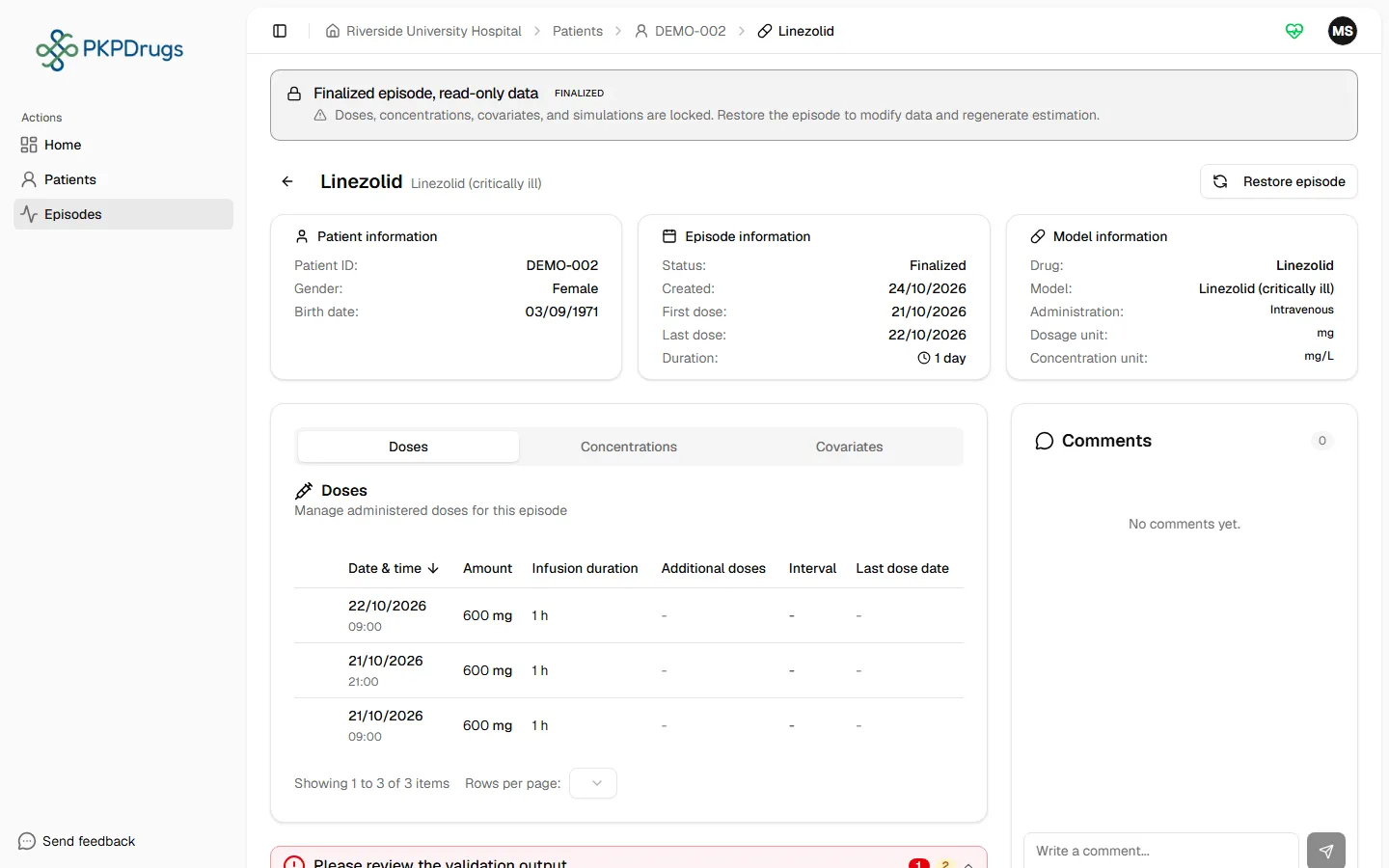
Section titled “The episode workspace”Opening an episode brings you to its workspace: a header, a group of data-entry tabs, and analysis sections, with comments and activity in a sidebar.
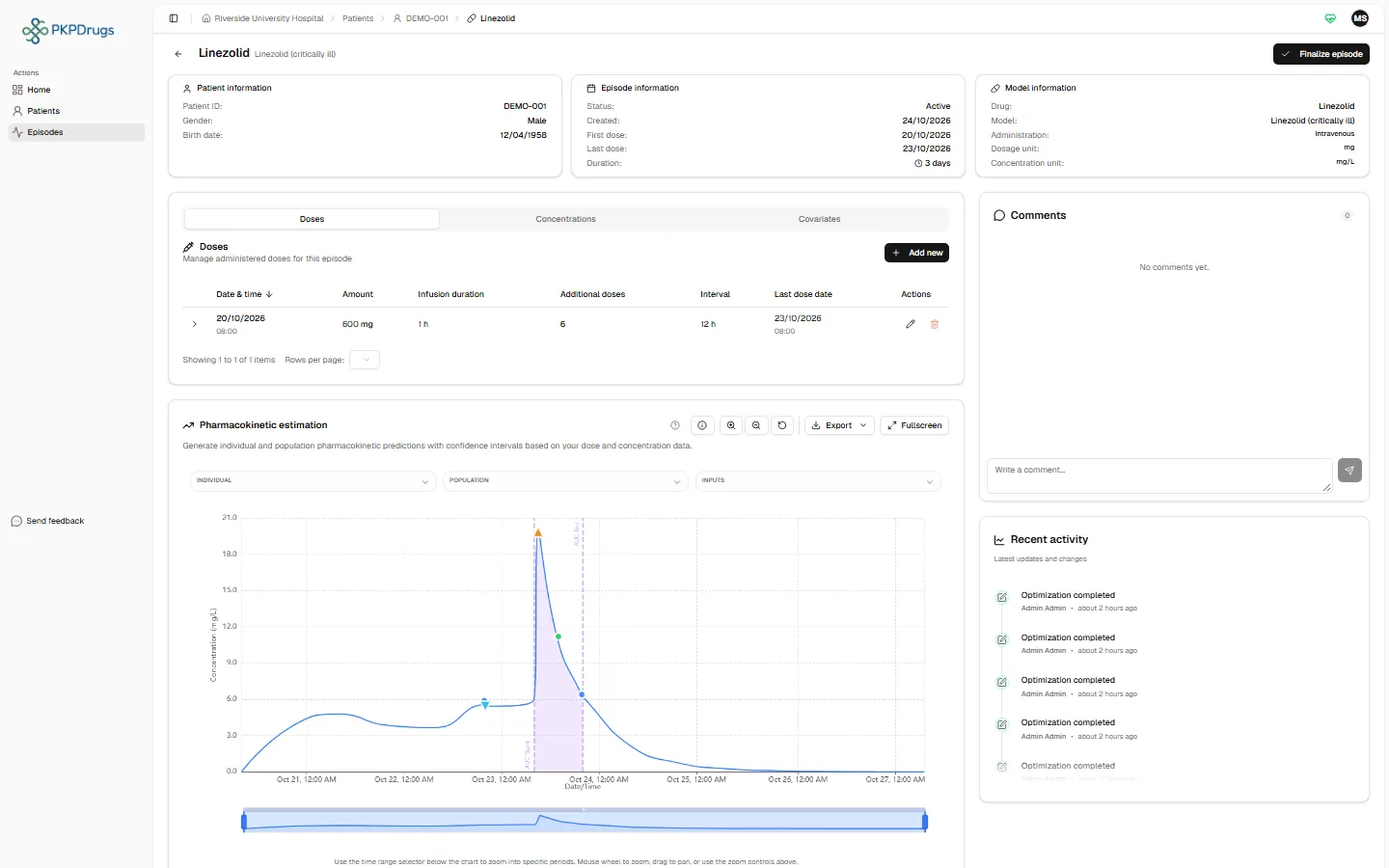
- Doses / Concentrations / Covariates tabs — see Doses, Concentrations, Covariates.
- Estimate — see Estimation (and, within it, Optimization).
- Simulation — see Simulation.
- Reports — see Reports.
- Comments and Activity feed on the right, for team communication and an audit trail of changes.
Episode lifecycle
Section titled “Episode lifecycle”An episode is Active or Finalized. The header shows the current status and the available action:
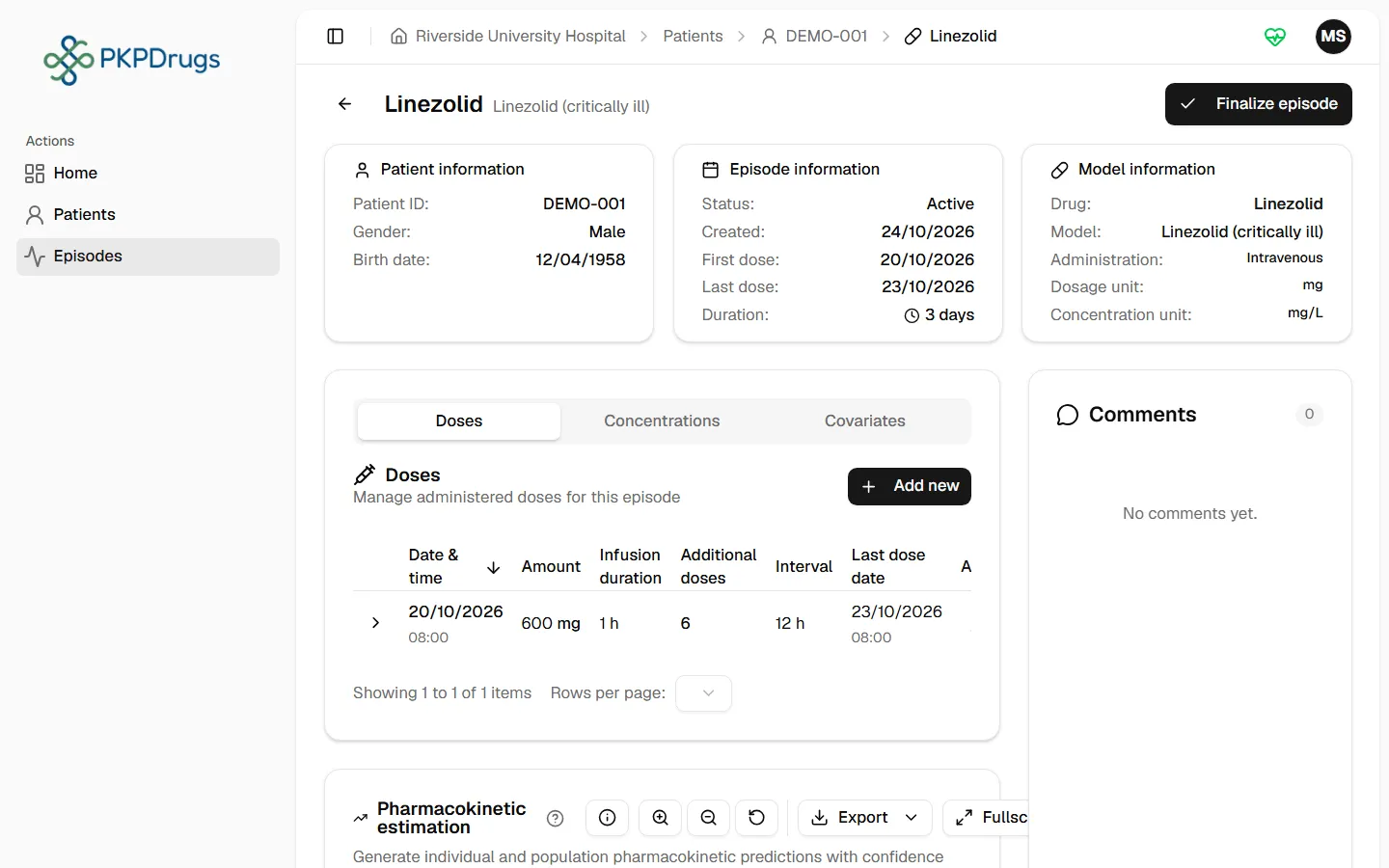
- Finish marks the episode finalized — all clinical data becomes read-only: doses, concentrations, covariates, and simulations are locked, and estimation stops recalculating. The server enforces the same lock: a new or changed dose, concentration, covariate record, simulation or report for a finalized episode is refused, whatever route it comes from, until the episode is restored.
- Restore brings a finalized episode back to Active, unlocking data entry again and letting estimation run on any new data you add.
- Episodes can also be deleted — this asks for confirmation first, since it is not reversible.
Fields, checks and limits
Section titled “Fields, checks and limits”Add episode
Section titled “Add episode”| Field | What to enter | Unit | Required | Minimum | Maximum | Message you see if it is wrong |
|---|---|---|---|---|---|---|
| Patient | Search by Patient ID and choose one patient. | Choice | Yes | - | - | “Patient is required” |
| Model | Choose the drug model. It brings its PK model, dosing unit and way of giving the dose. | Choice | Yes | - | - | “Model is required” |
Two more checks run when you save. They compare the drug with the patient:
| Check | Why it exists | Message you see if it fails |
|---|---|---|
| The drug must belong to at least one center. | The model file that estimation needs is stored per center. | “The selected model has no center assigned. Please assign a center to the model before creating an episode.” |
| The drug and the patient must share a center. | Without a common center, PKPDrugs cannot find the model for this patient. | “The selected model and patient belong to different centers. Please select a model and patient from the same center.” |
An episode has no other typed fields. Its status (Active or Finalized) is changed with the Finish and Restore buttons, not typed.
Possible errors
Section titled “Possible errors”| Message | What it means | What to do |
|---|---|---|
| Model is required | No model was selected in the Add episode dialog. | Choose a model before submitting. |
| The selected model has no center assigned. Please assign a center to the model before creating an episode | The chosen drug isn’t assigned to any center yet. | Ask an administrator to assign a center to the drug — see Drugs & PK models → Centers tab. |
| The selected model and patient belong to different centers. Please select a model and patient from the same center | The drug is assigned to a center, but not the patient’s center. | Either pick a drug assigned to the patient’s center, or ask an administrator to add that center to the drug. |
| Failed to create episode: … | The request reached the server but was rejected; the rest of the message explains why. | Read the specific reason in the message — it usually restates one of the two checks above. |
Next: Doses.