
Reports
The Reports tab turns a simulation into a PDF you can share with the rest of the care team.
Choosing a template
Section titled “Choosing a template”Select Generate report and pick a template:
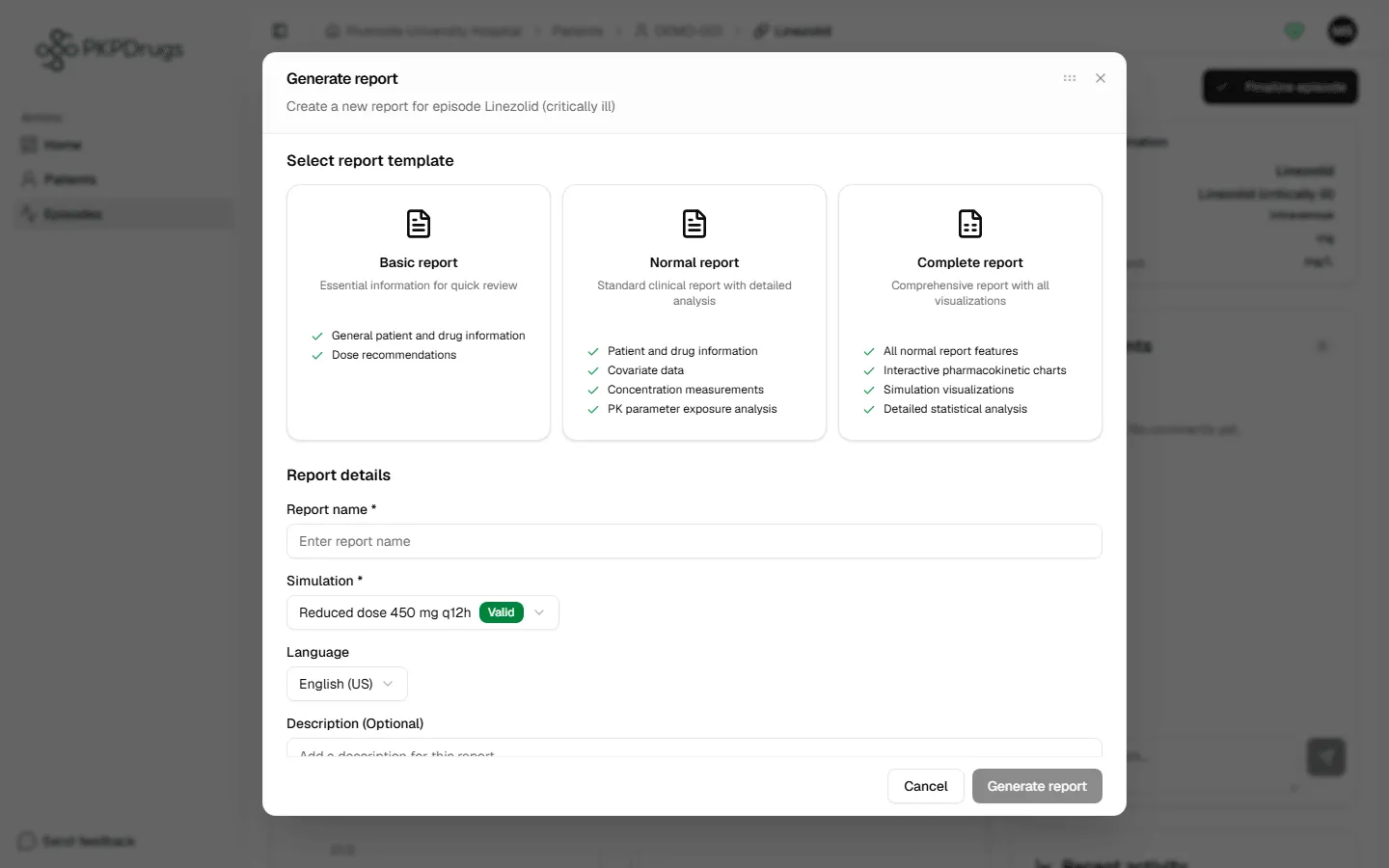
| Template | Contains |
|---|---|
| Basic | General patient and drug information, and dose recommendations. Good for a quick review. |
| Normal | Patient and drug information, covariate data, concentration measurements, and PK parameter exposure analysis. |
| Complete | Everything in Normal, plus interactive PK charts, simulation visualizations and detailed statistical analysis. You can choose which chart elements to show (below). |
Filling in the report
Section titled “Filling in the report”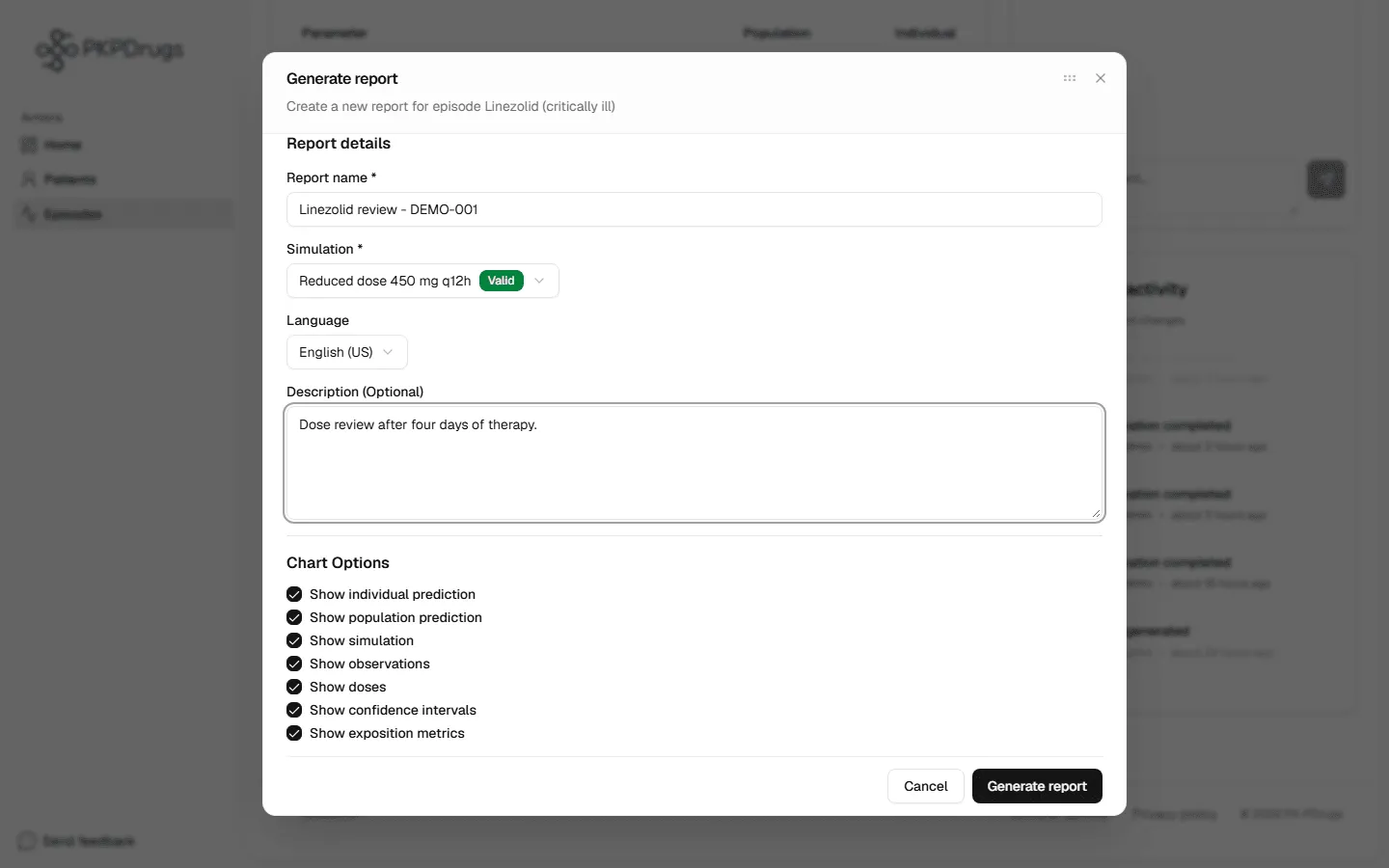
| Field | Notes |
|---|---|
| Report name | A label for this report (required, up to 255 characters). |
| Simulation | Which simulation to report on (required). Each one shows a badge: Valid, Pending or Invalid; Pending and Invalid ones cannot be chosen. |
| Language | The PDF’s language — all 9 interface languages are available; chosen from your browser language by default (English if yours is not supported). |
| Description | Optional free text, e.g. clinical context or notes for the recipient (up to 2000 characters). |
For the Complete template, choose which chart elements to include: individual prediction, population prediction, simulation, observations, doses, confidence intervals, and exposure metrics. All are ticked by default.
Select Generate — the PDF is created, then automatically downloaded and opened.
Past reports
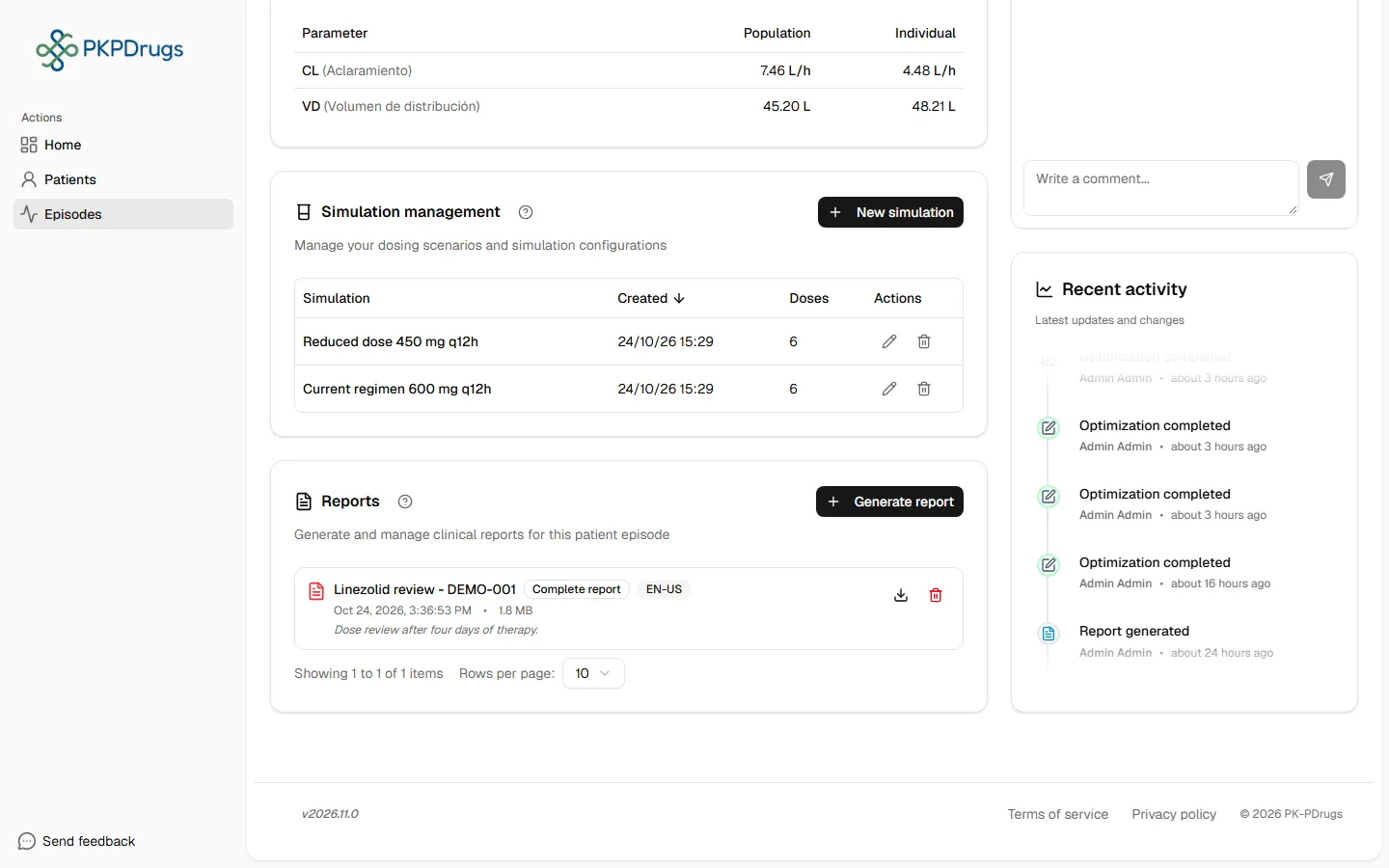
Section titled “Past reports”Every report you generate stays listed for re-download later.
Possible errors
Section titled “Possible errors”| Message | What it means | What to do |
|---|---|---|
| Report name is required | The Report name field was left blank. | Enter a name for the report. |
| Invalid simulation selected | The chosen simulation doesn’t have valid results. | Pick a different simulation, or fix and re-run the one you want first — see Simulation. |
| Please select a template and simulation | No template (Basic/Normal/Complete) or no simulation was chosen. | Select one of the three template cards and a simulation. |
| Invalid template selected | The chosen template is not one of the three available. | Select one of the three template cards. |
| Failed to generate/download/preview/delete report | The request reached the server but failed. | Retry; if it persists, check your network connection or contact an administrator. |
You’ve now walked the full clinical workflow. If you manage centers, users, the covariate catalog, or drugs and PK models, continue to the Administration Guide.
Fields, checks and limits
Section titled “Fields, checks and limits”Generate report dialog
Section titled “Generate report dialog”| Field | What to enter | Unit | Required | Minimum | Maximum | Message you see if it is wrong |
|---|---|---|---|---|---|---|
| Template | Basic, Normal or Complete. | None | Yes | None | None | Please select a template and simulation |
| Report name | A label for the report. | Text | Yes | Not empty | 255 characters (checked by the server) | Report name is required |
| Simulation | The simulation to report. Each one shows a status: Valid, Pending or Invalid (“Validating…” while it is being checked). | None | Yes | A valid simulation | None | Please select a template and simulation. Invalid simulation selected. If there are none: No simulations available |
| Language | Language of the PDF. | None | No | None | None | None |
| Description | Notes for the reader. | Text | No | None | 2000 characters (checked by the server) | Description cannot exceed 2000 characters |
| Chart options (Complete only) | Show individual prediction, population prediction, simulation, observations, doses, confidence intervals, exposure metrics. | Tick boxes | No | None | None | None |
If you did not choose both a template and a simulation, you see: “Please select a template and simulation”.
When a report is refused
Section titled “When a report is refused”The report is refused if the simulation has blocking problems. The message starts with “Cannot generate report: simulation has validation errors.” and lists each problem. The server answers with a bad-request error (code 400), not a conflict (409). Fix the listed problems in the simulation, then try again.
Other messages: “Failed to generate report”, “Failed to download report”, “Failed to preview report”, “Failed to delete report”. Deleting a report cannot be undone.