
Concentrations
The Concentrations Observed tab records the patient’s measured drug levels — the samples PKPDrugs uses, together with the recorded doses, to estimate that patient’s individual PK parameters.
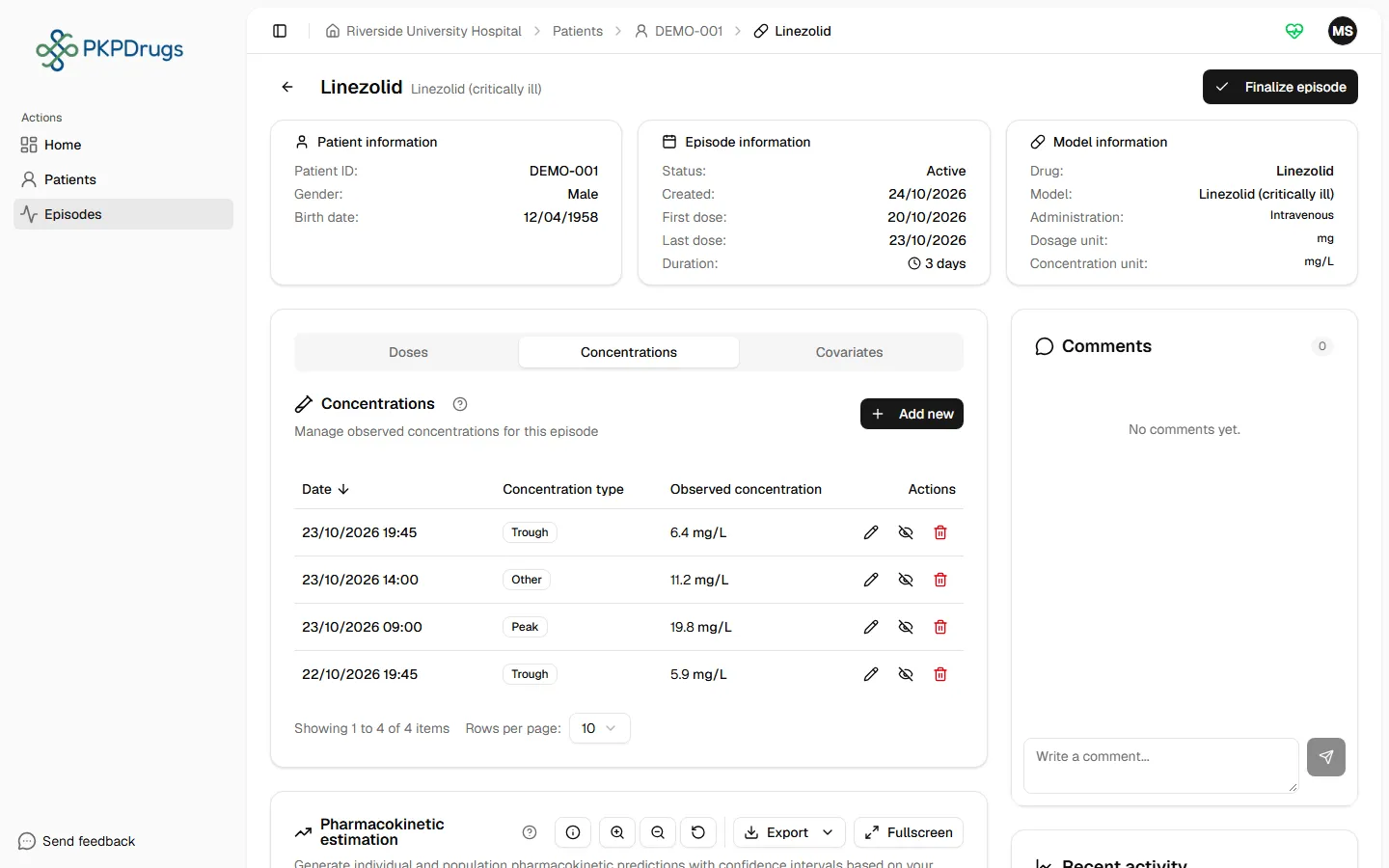
Adding a concentration
Section titled “Adding a concentration”Add a row directly in the table with:
| Field | Notes |
|---|---|
| Sample date and time | Must not be earlier than the first recorded dose. |
| Concentration type | Trough, Peak, or Other (Trough is pre-selected). |
| Observed concentration | The measured concentration, in the drug’s metric (e.g. mg/L). Zero is accepted; a negative value is not. |
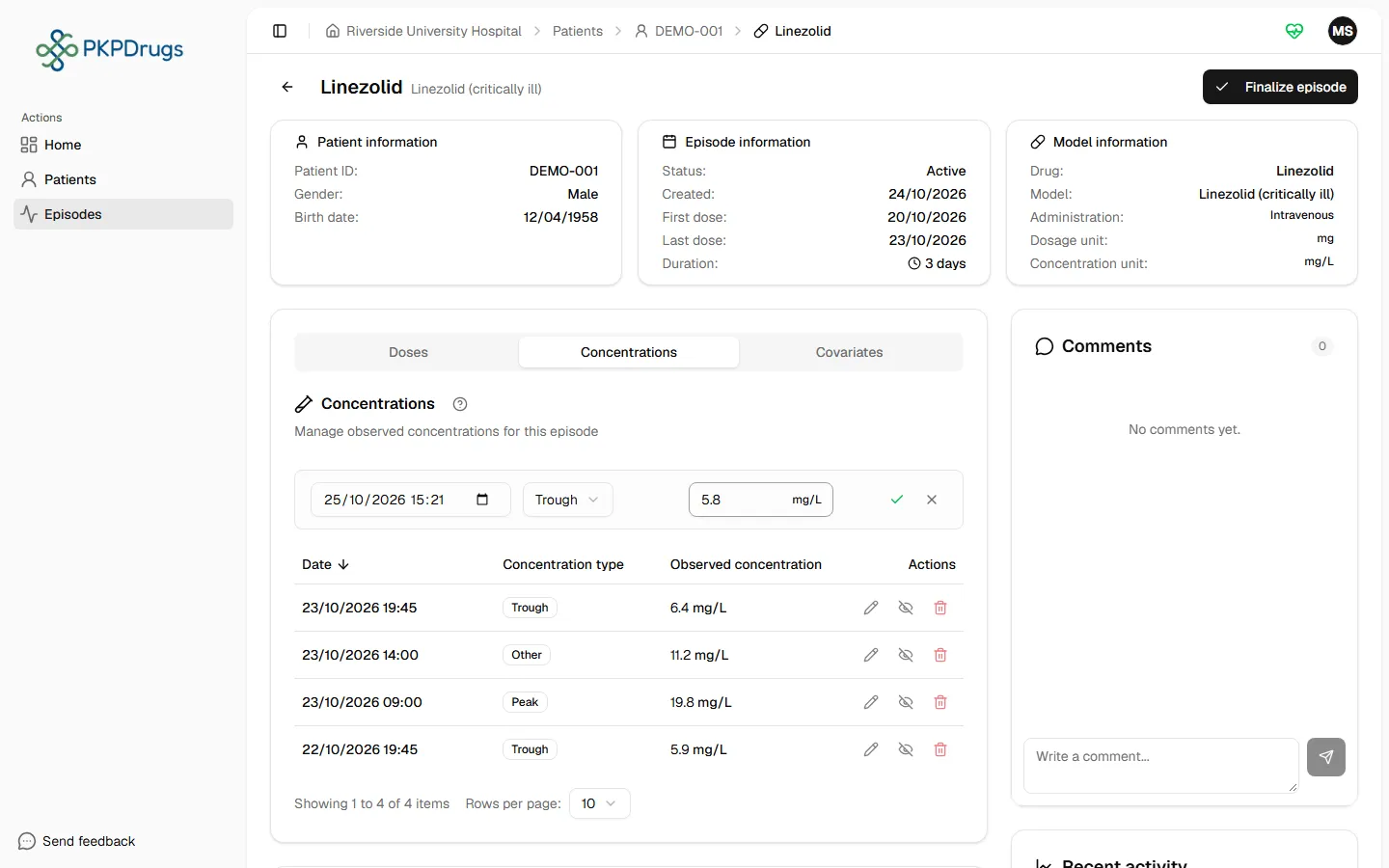
Entries can be edited or deleted afterward, as long as the episode is still active.
Possible errors
Section titled “Possible errors”| Message | What it means | What to do |
|---|---|---|
| Date cannot be before the first dose | The concentration’s timestamp is earlier than the episode’s first dose. | A concentration can’t have been measured before the drug was administered — correct the date/time, or check you’re editing the right dose if the first dose’s timing was wrong. |
| Concentration must be a positive number | The measured value is negative, empty, or not a number. | Enter a value of 0 or more in the drug’s metric (e.g. mg/L). |
| Date is required | The sample date and time was left empty. | Enter when the sample was taken. |
| Failed to add concentration / Failed to update concentration / Failed to delete concentration / Failed to ignore the concentration / Failed to use the concentration again | The request reached the server but failed. | Retry; if it persists, check your network connection or contact an administrator. |
Next: Covariates.
Fields, checks and limits
Section titled “Fields, checks and limits”Add or edit a concentration
Section titled “Add or edit a concentration”| Field | What to enter | Unit | Required | Minimum | Maximum | Message you see if it is wrong |
|---|---|---|---|---|---|---|
| Sample date and time | Day and time the sample was taken. One field. | Date and time | Yes | Not before the first recorded dose | No upper limit set in the form | Date is required. Date cannot be before the first dose. |
| Concentration type | Trough, Peak or Other. Trough is pre-selected. | None | Yes | None | None | None (a type is always selected) |
| Observed concentration | The level the laboratory reported. | The drug’s concentration unit (shown on the episode) | Yes | 0 (a negative value is refused) | 1,000,000 (the database refuses a larger value; the form sets no limit) | Concentration must be a positive number. |
A sample cannot be older than the first dose, because the drug was not in the body before that.
Ignore a sample
Section titled “Ignore a sample”Use Ignore on a row to leave one sample out of the estimate without deleting it. The row shows an Ignored badge. Use Use again to put it back. The change appears in the activity feed.
The episode must always keep one sample that the estimate can use. If you try to ignore or delete the last usable sample, you see: “The episode must keep one concentration the estimation can use”.